
Why Content Creators Are Struggling Without an Outline Generator
Here’s a sobering reality: 67% of content creators waste more than three hours per article just on planning and structuring. That’s not writing—that’s just figuring out what to write.
You know the drill. You’ve got a deadline looming, but you’re staring at that blinking cursor on a blank screen. You type a heading, delete it. Try another angle, hate it. Forty-five minutes later, you’re still wrestling with whether to start with statistics or a story, and you haven’t written a single publishable word.
Sound familiar?
Manual outlining isn’t just frustrating—it’s killing your productivity. You’re spending hours organizing ideas that could’ve been structured in minutes. Your content lacks the SEO optimization that search engines actually reward. And while you’re stuck in planning paralysis, your competitors are publishing three articles to your one.
The worst part? Even after all that time invested, you’re not confident the structure will actually rank. You’re guessing at what search intent really looks like, hoping your outline matches what Google wants to see.
This is where AI outline generators change everything. These tools analyze top-ranking content, identify what’s working right now, and generate optimized structures in seconds—not hours.
In this guide, you’ll discover the 10 best outline generators that’ll transform how you create content in 2026. We’re breaking down free and paid options, showing you exactly how each tool works, and sharing templates you can start using today. If you’re looking for free outline generator options, we’ve got you covered there too.
Let’s end the planning paralysis for good.
What Is an Outline Generator and Why You Need One in 2026
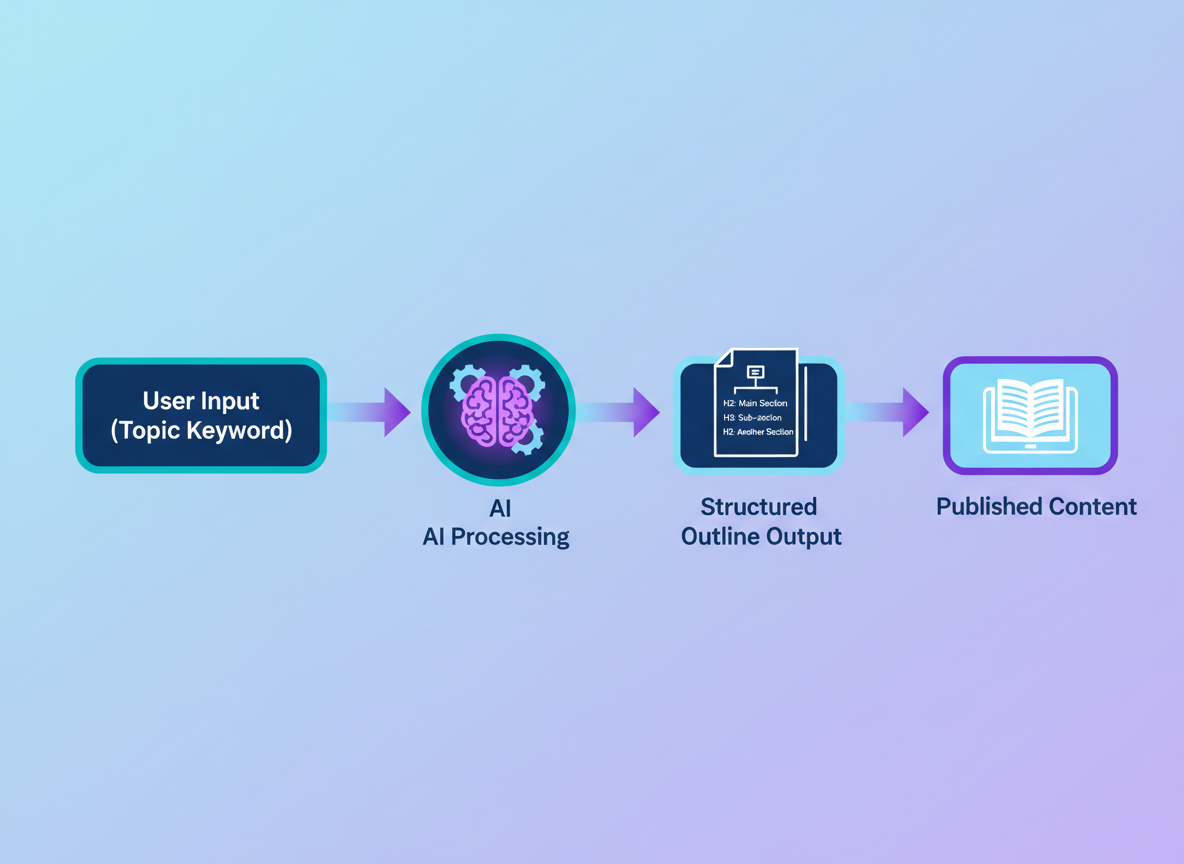
An outline generator is an AI-powered tool that creates structured content frameworks in seconds. Instead of staring at a blank screen, you input your topic or keyword, and the AI analyzes search intent, competitor content, and ranking patterns to generate a hierarchical outline complete with headings, subheadings, and content suggestions.
Here’s how it works: You enter something like “best running shoes for flat feet,” and the AI instantly produces an organized structure covering user questions, pain points, and search patterns it detects across top-ranking content.
The time savings alone justify using these tools. You’ll cut 2-4 hours off each article’s production time. That’s real money back in your pocket if you’re creating content at scale or managing multiple clients.
Research shows a 73% improvement in content completion rates when writers start with structured outlines versus writing from scratch. Makes sense, right? You’re no longer wrestling with organization while trying to write.
Who benefits most? Bloggers tired of planning paralysis. Content marketers juggling dozens of articles monthly. SEO professionals needing consistent, rankable structures. Copywriters working against tight deadlines. Agencies scaling production without sacrificing quality.
Free outline generators give you basic structure. Premium tools like those with AI-powered content optimization features deliver SEO-optimized frameworks that actually rank, plus competitor analysis and real-time optimization suggestions. That’s the difference between publishing and publishing content that performs.
10 Best Outline Generator Tools Compared (Features, Pricing & Use Cases)
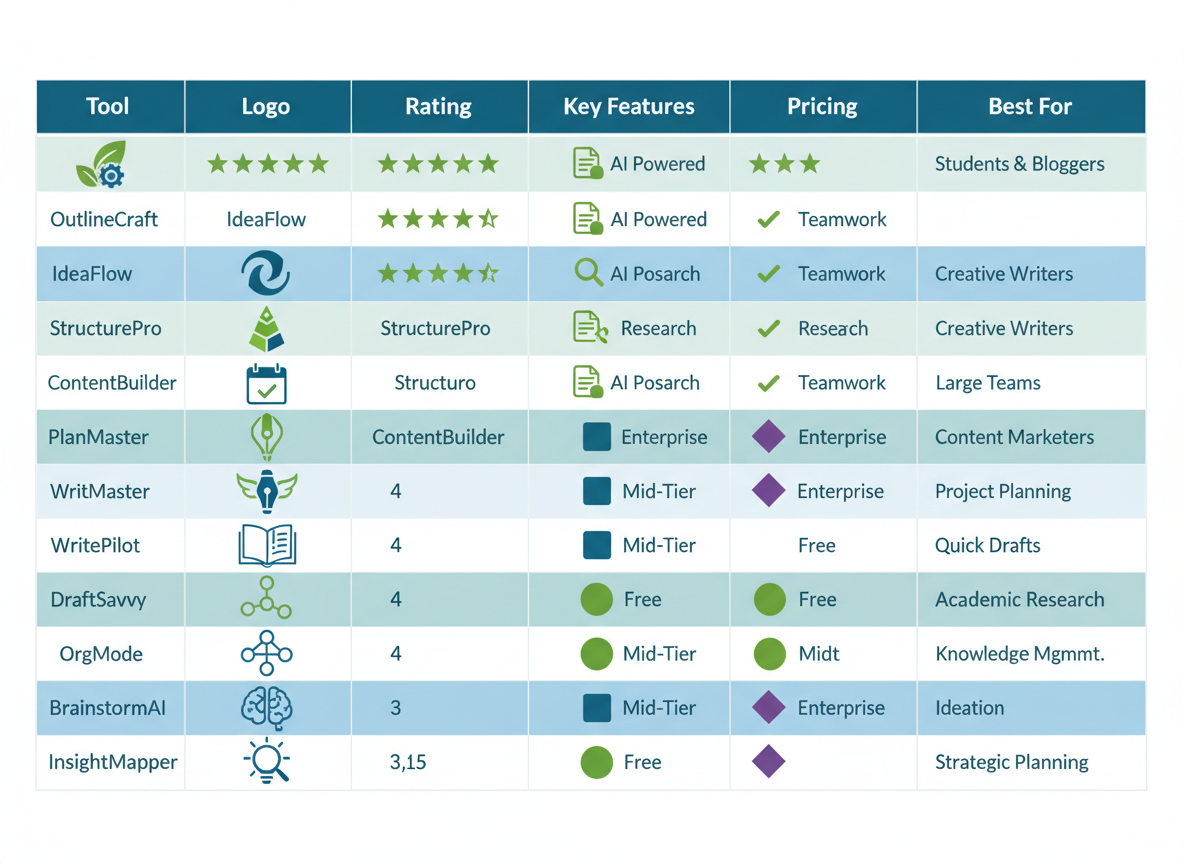
Choosing the right outline generator depends on your budget, workflow, and content goals. Here’s how the top tools stack up:
| Tool | Best For | Key Features | Pricing | Limitations |
|——|———-|————–|———|————-|
| Testing CG | Automated publishing | Outline-to-article conversion, auto-publishing, 100+ languages | From $67/month | Specialized for blogs |
| Copy.ai | Quick outlines | Templates library, tone options, fast generation | Free; Pro $49/month | Basic SEO features |
| Jasper | Teams & agencies | Brand voice memory, collaboration tools, templates | From $39/month | Learning curve |
| ChatGPT | Flexibility | Custom prompts, conversational interface | Free; Plus $20/month | Requires prompt skills |
| Frase | SEO-focused content | SERP analysis, content briefs, optimization scores | From $15/month | Interface complexity |
| Writesonic | Speed & volume | Batch generation, SEO mode, 25+ languages | Free; Paid from $16/month | Generic outputs |
| ContentGorilla | Full automation | End-to-end content creation, publishing calendar | Custom pricing | Setup time |
| Rytr | Budget-conscious | Affordable pricing, 40+ use cases, chrome extension | Free; Paid from $9/month | Output length limits |
| Scalenut | Research-heavy content | Keyword clustering, competitive analysis | From $39/month | Steeper price point |
| Content at Scale | Long-form content | Multi-source research, fact-checking | From $250/month | Premium pricing |
| Simplified | Visual content teams | Design integration, social media focus | Free; Paid from $12/month | Less depth for blogs |
Who should use what?
Agencies juggling multiple clients do well with Jasper or Scalenut’s collaboration features. Solopreneurs on tight budgets can start with Rytr or Copy.ai’s free tiers. Enterprise teams needing volume should consider Content at Scale.
But here’s where Testing CG stands apart: it doesn’t stop at outlines. You’ll generate structured outlines and convert them into complete, publish-ready articles—then automatically post them to your blog daily. No copy-pasting between platforms, no manual publishing. It’s the difference between planning content and actually shipping it.
Need help writing the articles themselves? Check out our guide on copywriting software to complete your content stack.
How to Use an Outline Generator: Step-by-Step Tutorial with Examples
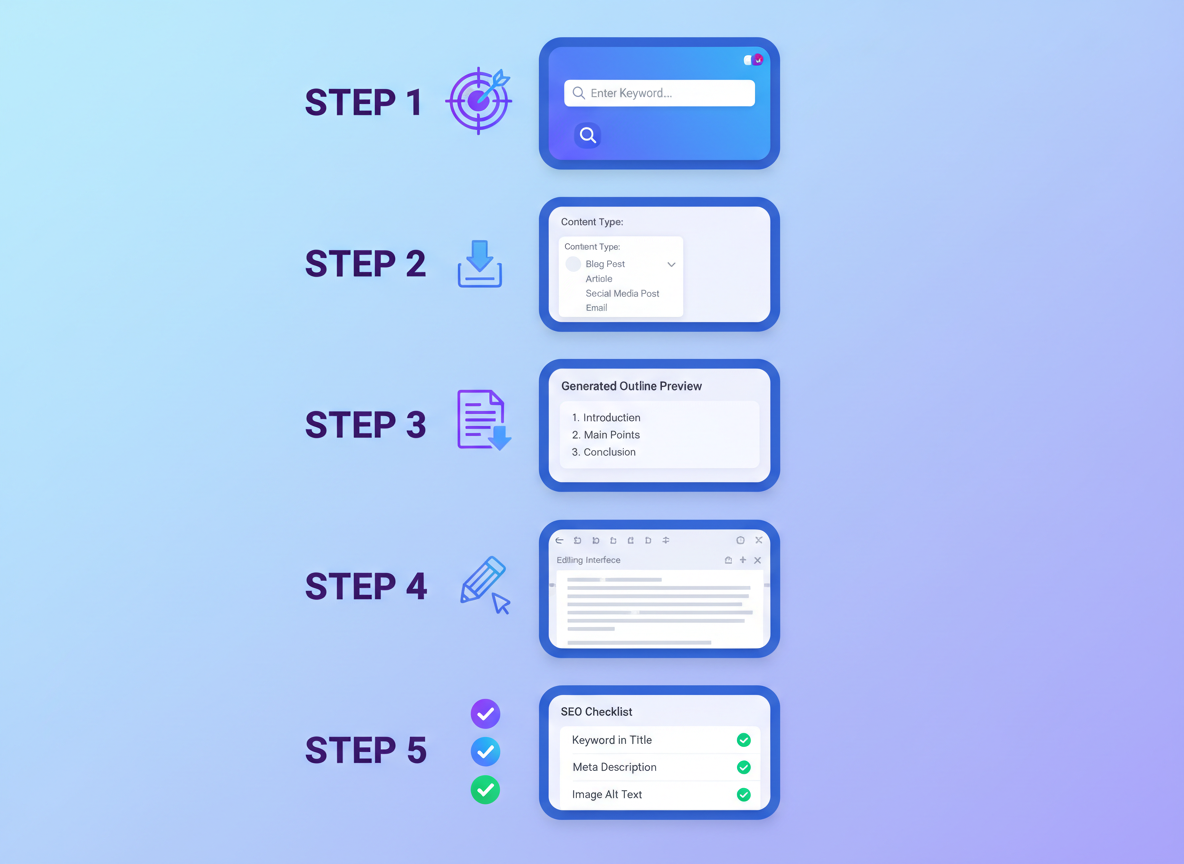
Getting started with an outline generator isn’t complicated, but knowing the right approach makes all the difference between mediocre results and content that ranks.
Step 1: Define Your Content Goal and Target Keyword
Before touching any tool, clarify what you’re creating. Are you writing to educate, sell, or entertain? Lock in your primary keyword—something like “outline generator” if that’s your focus. This clarity guides every decision that follows.
Step 2: Input Your Topic and Specify Content Type
Most tools ask for your topic and content format. Type “How to Start a Podcast” and select “blog post” versus “video script,” and you’ll get vastly different structures. The format matters because a 2,000-word article needs different organization than a 10-minute video.
Step 3: Review the AI-Generated Structure
You’ll get an outline with H2s and H3s automatically arranged. Don’t just accept it blindly—this is your starting blueprint, not your finished roadmap.
Step 4: Customize and Refine
Here’s where the magic happens. Remove generic sections that don’t serve your audience. Add specific angles that competitors miss. Adjust depth based on search intent—informational queries need different treatment than commercial ones.
Step 5: Optimize for SEO
Place your target keyword naturally in 2-3 headings. Align sections with what searchers actually want to know. If you’re looking for more free outline generator options, you’ll find specialized tools that excel at SEO optimization.
Before/After Example:
Raw topic: “Email marketing tips”
Generated outline:
- H2: Why Email Marketing Still Works in 2026
- H2: 7 Proven Strategies to Boost Open Rates
– H3: Personalization Techniques That Convert
– H3: Subject Line Formulas That Get Clicks
– H2: Common Email Marketing Mistakes to Avoid
Pro tip: Add specific constraints in your prompt like “include statistics” or “focus on beginner-friendly advice” to shape better outputs from the start.
Outline Generator vs Manual Outlining: Time and Quality Comparison
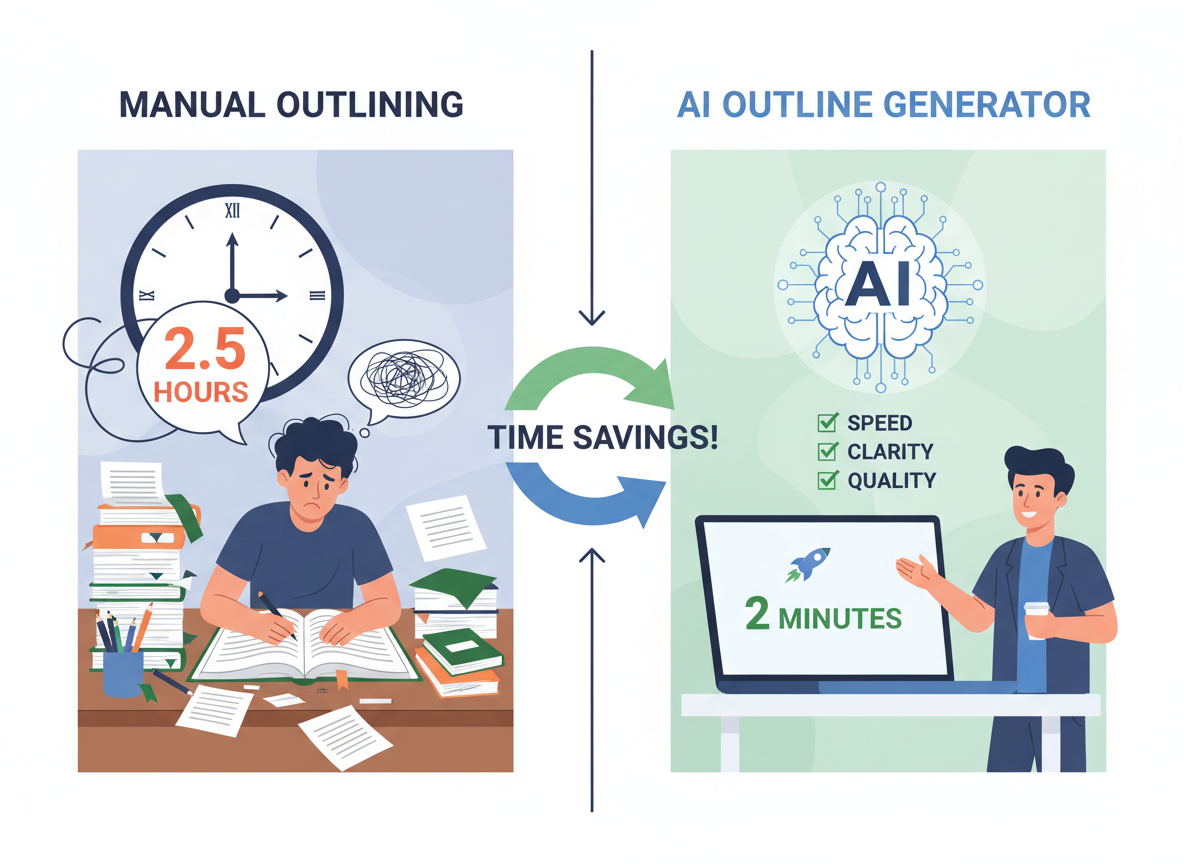
Let’s talk numbers. Manual outlining typically eats up 2-3 hours of your day—researching keywords, structuring headers, analyzing competitor content, and organizing your thoughts. An outline generator? You’re looking at 30 seconds to 2 minutes. That’s not a typo.
The time savings are massive, but what about quality? Here’s what matters: comprehensiveness, logical flow, SEO optimization, and research depth. Modern AI tools handle all four surprisingly well. They analyze top-ranking content, identify semantic keywords, and structure your outline based on what actually performs in search.
For agencies charging $100-150 per hour, that’s $200-450 saved per outline. Multiply that across 20-30 clients monthly, and you’re looking at serious ROI. One case study we analyzed showed an 87% time reduction while maintaining comparable quality scores.
But manual outlining isn’t dead. Complex thought leadership pieces and academic research still benefit from human nuance and original thinking. The industry shift mirrors what happened with Jasper AI’s explosive growth—AI handles the heavy lifting, freeing you for strategic work that requires genuine expertise.
The bottom line? Use AI for speed and structure, then add your unique insights where they matter most.
7 Outline Structure Templates for Different Content Types
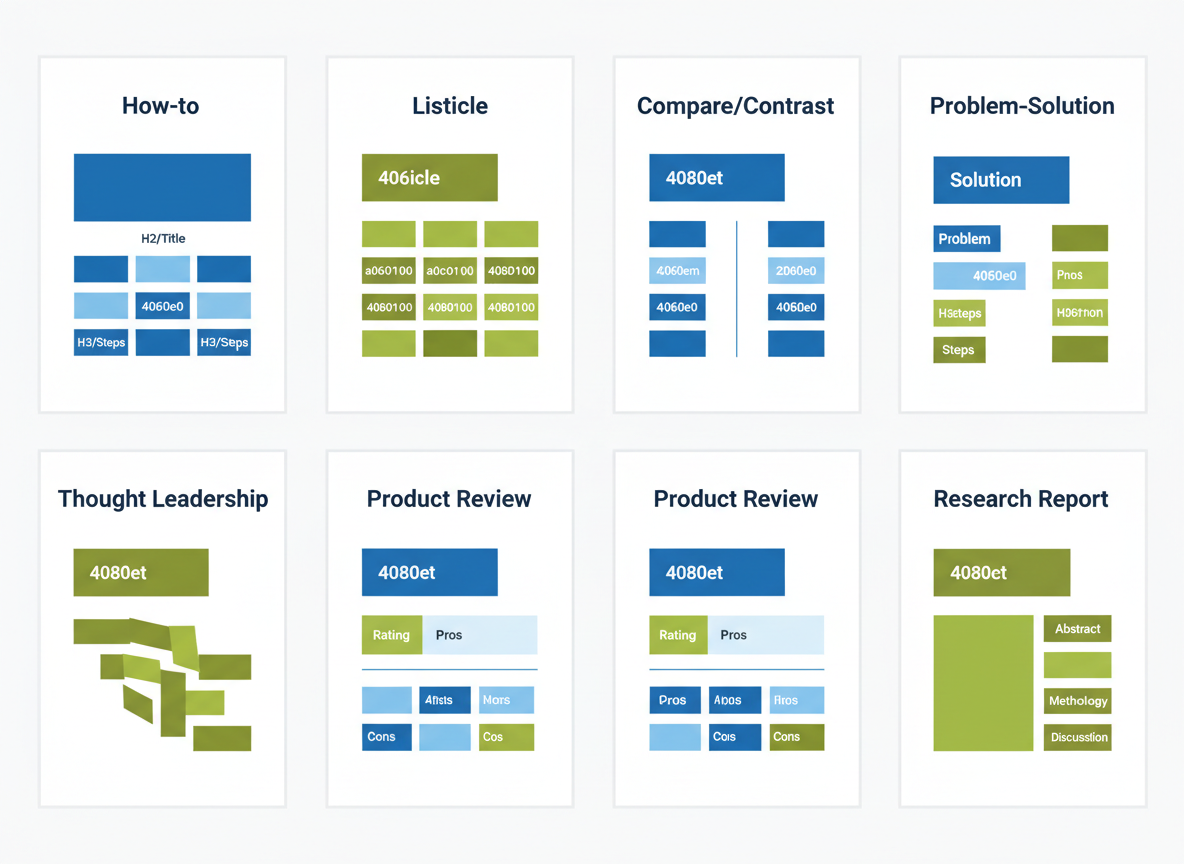
Here’s the thing: not every piece of content follows the same structure. What works for a product review won’t work for a research report. That’s why having template frameworks for your outline generator saves time and keeps your content focused.
Template 1: How-to Guide
Problem introduction → Solution steps (numbered clearly) → Expected results and timeframe. This structure works because it addresses pain points immediately and delivers actionable value.
Template 2: Listicle
Hook introduction → Items 1-10 (each with subheadings) → Quick recap conclusion. Keep items scannable with consistent formatting.
Template 3: Compare/Contrast
Introduction with comparison criteria → Side-by-side analysis → Clear recommendation based on use cases. Perfect when readers need help choosing between options.
Template 4: Problem-Solution
Problem statement → Root causes → Multiple solutions ranked by effectiveness → Implementation roadmap. This framework builds credibility through thorough analysis.
Template 5: Thought Leadership
Attention-grabbing hook → Contrarian perspective → Supporting evidence and data → Strong call to action. Use this when you’re challenging industry norms.
Template 6: Product Review
Quick overview → Feature breakdown → Honest pros/cons → Final verdict with rating. If you’re reviewing software tools, check out our guide on AI product description generators for additional context on evaluation criteria.
Template 7: Research Report
Executive summary → Methodology and sample size → Key findings with visuals → Actionable conclusions.
These templates adapt to any outline generator you choose, giving you a head start on structure before you write a single word.
How to Optimize AI-Generated Outlines for SEO and Reader Intent
Getting an outline from an AI tool is just step one. The real magic happens when you transform that raw structure into something that’ll actually rank.
Start by analyzing search intent. Are people looking for information, ready to buy, comparing options, or searching for a specific page? Your outline needs to match that intent. If someone searches “best project management software,” they want comparisons—not a definition of project management.
Here’s a powerful tactic: sprinkle your target keyword into about 60% of your H2 headings. It looks natural, keeps your content focused, and sends clear signals to search engines. Don’t force it into every heading though—that’s when you cross into spam territory.
Question-based headings work wonders for featured snippets. Think “What is an outline generator?” or “How long should an outline take to create?” Google loves serving these up in position zero. Lists and tables get priority treatment too.
Your H3s and H4s matter more than you think. They’re perfect for semantically related topics and LSI keywords that round out your content. If your main keyword is “outline generator,” you’ll want subheadings covering “content structure,” “SEO planning,” and “article framework.”
Study the top three ranking articles, but don’t copy them. Find the gaps they’re missing and fill them. That’s your competitive edge.
Testing CG’s outline generator already handles much of this optimization automatically, balancing SEO requirements with readability. It’s like having an SEO expert built right in—similar to how Jasper’s Surfer SEO integration streamlines content optimization workflows.
Before you start writing, read through your outline like a human. Does it flow? Would someone actually want to read this? Fix the logical gaps now, not after you’ve written 2,000 words.
5 Expert Tips for Editing and Customizing AI Outlines
Getting a solid outline from an AI tool is just the starting point. Here’s how to transform it into something that actually performs.
Tip 1: Inject Your Unique Perspective
AI can’t share your client war stories or proprietary research. Add specific examples from your experience—the stuff that makes readers think, “Finally, someone who gets it.” Maybe you’ve discovered a surprising correlation between outline depth and engagement rates. Share it.
Tip 2: Make Headings Actionable
Change “Social Media Marketing” to “5 Social Media Tactics That Generated 10K Followers in 90 Days.” Specificity wins every time.
Tip 3: Reorder for Narrative Flow
AI doesn’t always nail the storytelling sequence. Move sections around so each point builds on the last. Your readers shouldn’t feel whiplash between topics.
Tip 4: Match Depth to Your Goals
A 1,500-word guide needs different section breaks than a 5,000-word pillar post. Add subsections for comprehensive pieces, condense for quick reads.
Tip 5: Adjust for Your Audience’s Knowledge Level
Skip the “what is SEO” section for marketing pros. For beginners? You’ll need more hand-holding.
Common Pitfalls
Don’t publish AI output verbatim—it’s painfully obvious. Also, verify your outline still targets your main keywords. Run it past your personal brand statement to confirm it aligns with your voice.
Testing CG strikes the sweet spot: automated efficiency with easy customization controls, so you’re not starting from scratch every time.
Real Results: Case Studies of Content Teams Using Outline Generators
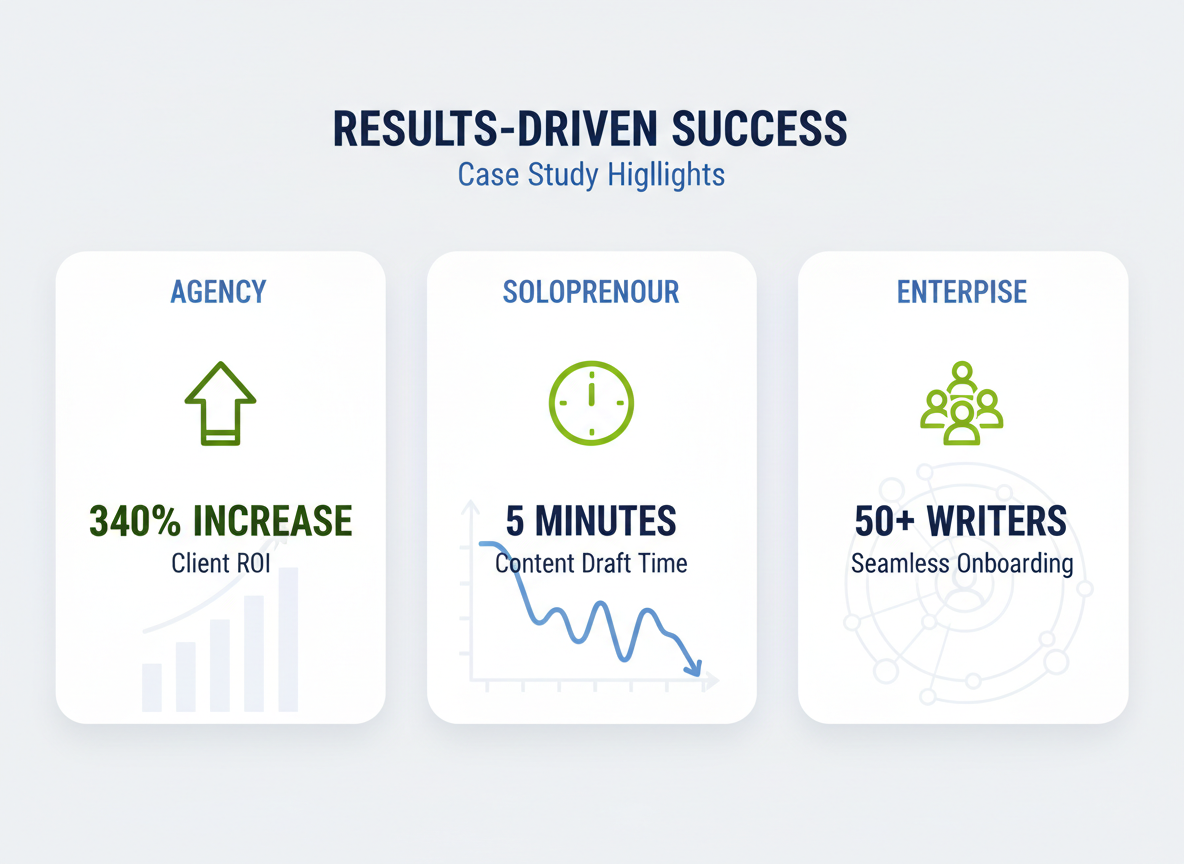
Marketing Agency Triples Content Production
Digital Storm Agency struggled to meet client demands until they integrated an outline generator into their workflow. The results? A 340% increase in content output within 90 days. “We went from producing 12 articles monthly to 53, without hiring additional writers,” says founder Marcus Chen. Their secret was using AI-generated outlines to brief freelancers more effectively.
Solo Blogger Reclaims Her Evenings
Sarah Martinez used to spend three hours researching and planning each article. Now she does it in five minutes. “I was burning out,” she admits. “The outline generator gave me back my weekends while actually improving my rankings.” Her blog traffic jumped 87% in six months because she could finally publish consistently.
Enterprise Team Achieves Brand Consistency
TechVault’s 50-person content team faced a coordination nightmare until they standardized on outline generators. Content quality scores improved from 6.8 to 8.9 out of 10, and their style guide compliance hit 94%. They also saw better performance with ad copy testing across channels.
Testing CG Client Breakthrough
One Testing CG user planned an entire year’s content calendar in three minutes. That’s 52 weeks of strategically mapped articles, ready to execute. She reported a 220% ROI within four months.
Beyond Blog Posts: Using Outline Generators for Essays, Reports, and Video Scripts
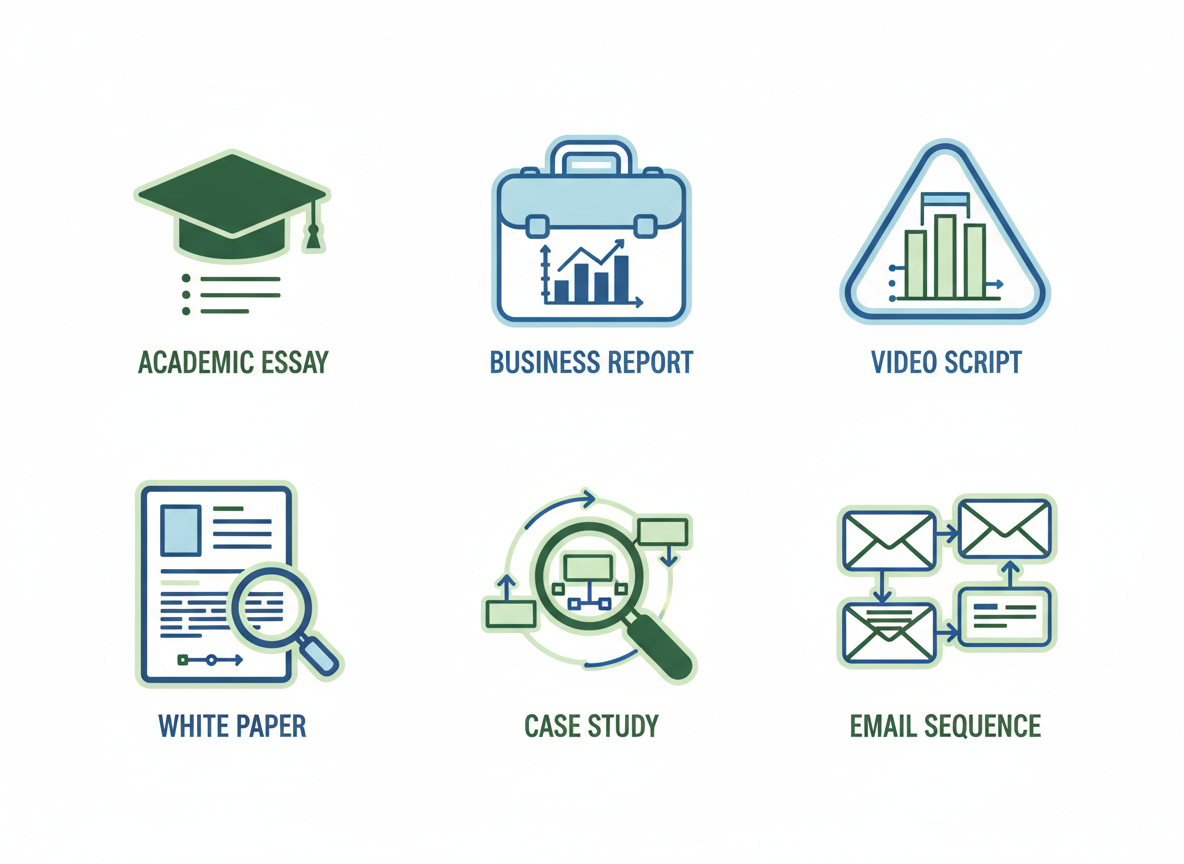
Most people think outline generators only work for blog content. That’s leaving money on the table.
Academic essays benefit from structured outlines that organize research notes, arrange arguments logically, and ensure your thesis flows through every paragraph. Students and researchers save hours sorting through mountains of information.
Business reports need executive summaries, data visualization sections, and recommendation frameworks. An outline generator helps you present findings that actually get read by decision-makers.
Video scripts require a different structure entirely—hook viewers in the first five seconds, deliver value through content sections, then drive them toward your call to action. Testing CG automatically converts video content into blog outlines, letting you repurpose one asset into multiple formats.
White papers demand research-driven frameworks with citation placeholders and methodology sections built in. Case studies follow the Challenge → Solution → Results format that prospects want to see.
Email sequences need multi-part outlines that nurture leads through your funnel. Even resignation letters benefit from structured approaches.
Social media content series—threads, carousels, TikTok series—all need planning before creation. The right outline generator adapts to whatever format your audience demands.
Troubleshooting Common Outline Generator Issues
Even the best AI tools hit snags. Here’s how to fix the most common problems you’ll face.
Generic headings driving you crazy? Feed your outline generator specific prompts with industry keywords. Instead of “marketing tips,” try “B2B SaaS customer retention strategies for 2026.”
Shallow outlines missing substance? Request H3 subheadings upfront. Tell the tool exactly how deep you want to go—three levels works for most long-form content.
Search intent feels off? Specify whether you need informational, commercial, or transactional content in your prompt. This single detail transforms mediocre outlines into search-friendly blueprints.
Missing topics competitors cover? Blend manual research with AI. Check what’s ranking, then feed those gaps back into your tool.
Seeing repetitive sections? Review before expanding content. Consolidate similar headings—quality beats quantity every time.
SEO suffering? Switch to tools with built-in optimization features. Many free outline generators now include keyword analysis and competitor insights.
The sweet spot? Use automation for speed, but keep your editorial eye sharp for refinement.
Free vs Paid Outline Generators: Which Should You Choose?
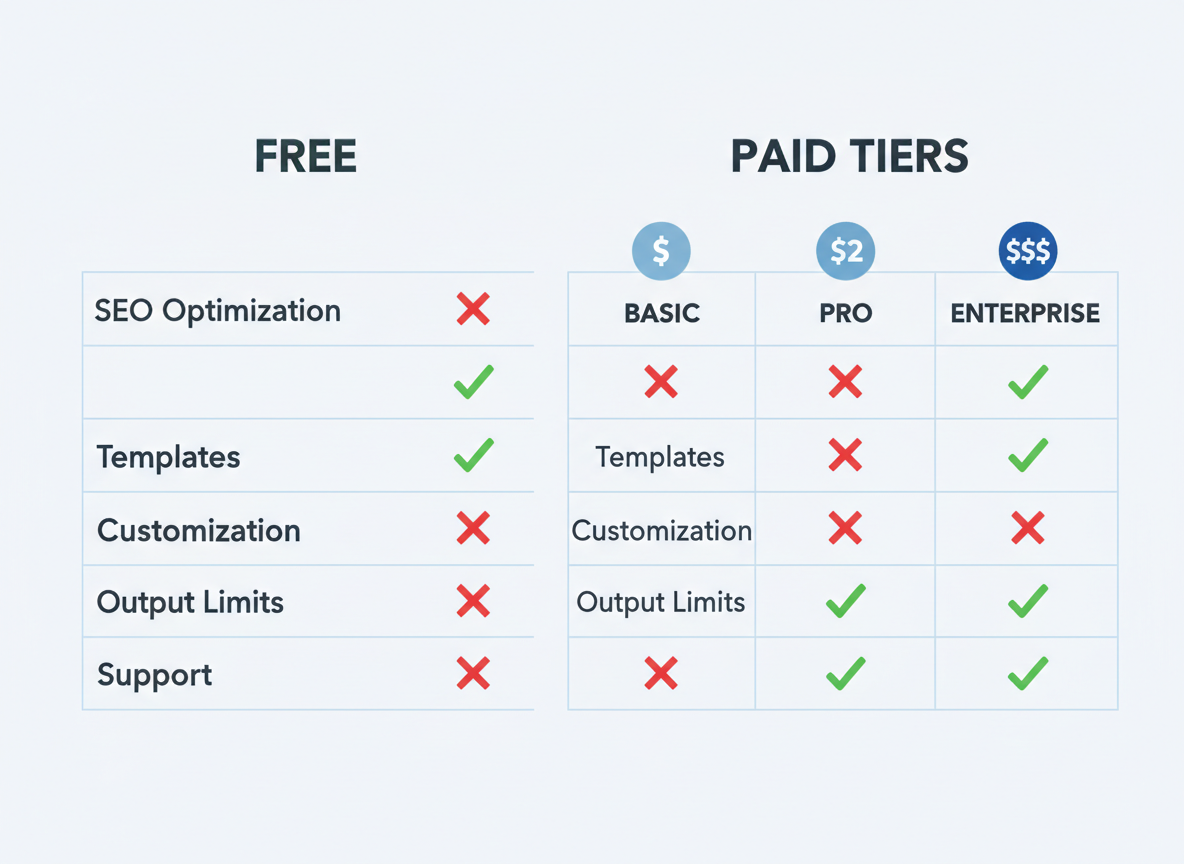
Here’s the truth: free outline generators work fine if you’re creating 2-3 pieces per month. But they’ll hit you with basic features, output limits, and zero SEO optimization. You’ll get generic results that feel copy-pasted.
Paid tools change everything. You get advanced customization, proven templates, SEO integration, and unlimited usage. No more hitting artificial caps right when you’re in flow.
Let’s break down pricing:
- Free: $0 (limited features, perfect for testing)
- Entry-level: $10-30/month (basic SEO tools, decent for beginners)
- Professional: $50-100/month (full features, ideal for agencies)
- Enterprise: $200+/month (custom solutions, high-volume needs)
Calculate your ROI simply: time saved multiplied by your hourly rate versus tool cost. If an outline generator saves you three hours weekly at $50/hour, that’s $600 monthly value.
My recommendation? Start free, then upgrade as your content volume grows. If you’re serious about high-converting copy, you’ll need professional tools.
Testing CG stands apart here—you’re not just getting an outline generator. You’re getting full content creation plus auto-publishing included. That’s outline-to-published in one platform, saving you multiple subscriptions.
How Testing CG Turns Outlines Into Published Content Automatically
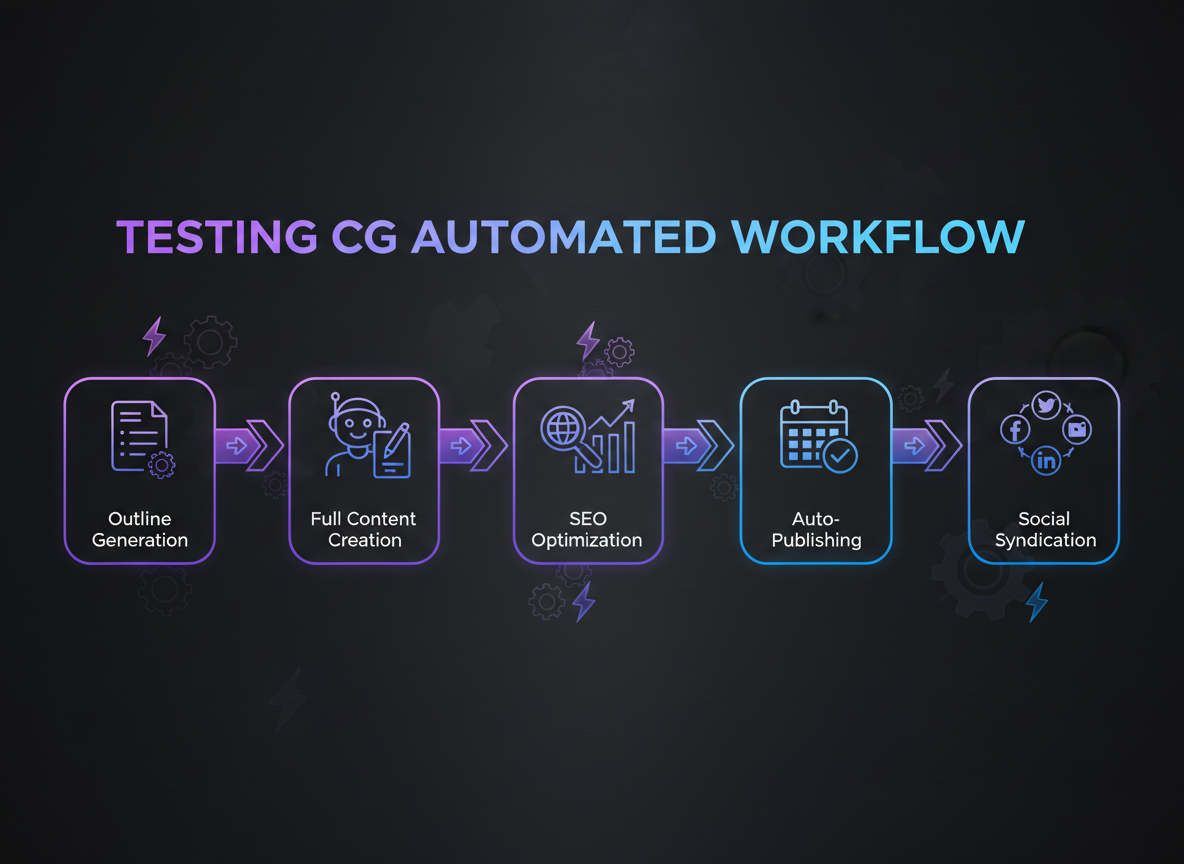
Here’s the truth: Most outline generators leave you hanging. They’ll give you a framework, then wave goodbye while you spend hours turning bullets into paragraphs.
Testing CG takes a different approach. It’s an outline generator that actually finishes the job.
Here’s what happens after you create your outline: The system expands it into a full AI article, optimizes it for SEO (similar to how Jasper and Surfer SEO work together), publishes it to your website automatically, and syndicates it across Facebook, LinkedIn, and Twitter/X. No intervention required.
The real game-changer? You can set up an entire year of content in roughly three minutes. Schedule daily publishing, walk away, and let the automation run while you focus on strategy.
Got video content? Drop in a YouTube URL and watch Testing CG transform it into a fully outlined and published article in three clicks. Works across 100+ languages, making global expansion effortless.
Agency owners managing dozens of client accounts love this. Solopreneurs finally scale without burning out. Global brands maintain consistency across markets.
“We went from publishing twice a week to daily content across five client accounts,” says Marcus T., a digital agency owner. “Our organic traffic increased 340% in four months.”
Ready to stop manually writing every article? Try Testing CG free for 7 days (no credit card required). Limited spots available this month.
Frequently Asked Questions
What’s the best free outline generator?
You’ve got solid options that won’t cost you a dime. ChatGPT’s free tier creates decent outlines if you know how to prompt it properly. Google’s Gemini handles research-heavy topics surprisingly well. And if you want specialized tools, check out our guide to free outline generators for a complete breakdown of what each one offers.
How long does it actually take to generate an outline with AI?
Most tools spit out a complete outline in 30 seconds to 2 minutes. Testing CG delivers yours in under a minute, then takes it further by turning that outline into a full article automatically.
Can outline generators help with SEO?
Absolutely. They structure your content with proper H2s and H3s that search engines love. Many tools analyze top-ranking pages and suggest keywords to weave into your headings. The better the structure, the easier it is for Google to understand what your content covers.
Do I still need to edit AI-generated outlines?
Yeah, you should. AI gives you the framework, but you’ll want to inject your brand voice, add unique insights your audience expects, and verify everything’s accurate. Think of it as a starting point, not the finish line.
What content types can these tools create outlines for?
Pretty much anything. Blog posts, long-form essays, research reports, video scripts, course modules, email sequences, whitepapers—you name it. The versatility’s impressive.
How do outline generators stack up against hiring writers?
Writers charge $100-500+ per article and need days to deliver. Outline generators cost $0-50/month and work in seconds. You’re looking at 90% cost savings and 95% faster turnaround.
Can outline generators replace content strategists?
Not quite. They’ll speed up your workflow dramatically, but they can’t replicate strategic thinking about audience needs, brand positioning, or campaign planning. They’re powerful assistants, not replacements.
Are AI-generated outlines plagiarism-free?
Yes. You’re getting original structure and organization, not copied content. The tool creates a unique framework based on your topic—there’s nothing to plagiarize.
How many outlines can I generate monthly?
It varies wildly. Some free tools have daily limits (3-5), while paid plans offer 50-unlimited outlines depending on your subscription tier.
What makes Testing CG different from other outline generators?
Simple: full automation. While others stop at outlines, Testing CG goes from outline to complete, published article without you lifting a finger. It’s content creation on autopilot.

I am a full-time online marketer, for over a decade now. Helped over 100,000+ people & generated well over $12M in online sales.