
Why Video Script Samples Are Your Secret Weapon for Content That Converts
You’ve got your camera ready. Your lighting’s perfect. But there’s one problem: you’re staring at a blank document, completely frozen.
Sound familiar?
You’re not alone. A recent study shows 87% of marketers struggle with video scriptwriting, and it’s costing them dearly. Projects get abandoned halfway through. Budgets evaporate on reshoots. Audiences click away within seconds because the messaging just doesn’t land.
Here’s the truth: winging your video scripts is like driving blindfolded. You might get somewhere, but probably not where you intended. Without proven templates, you’re gambling with your production time, your budget, and your audience’s attention span.
That’s where this guide comes in.
We’ve compiled 27 copyable video script samples that work across every major platform and use case. Whether you’re creating YouTube content, Instagram reels, or sales videos, you’ll find templates you can customize in minutes instead of staring at that cursor for hours.
Video content generates 1200% more shares than text and images combined. But here’s what most people miss: the script determines everything. With 85% of viewers more likely to buy after watching a product video, getting your script right isn’t optional anymore.
Let’s fix that blank page problem once and for all.
What Makes a Video Script Sample Actually Useful (And Why Most Templates Fail)
Here’s the frustrating truth: most “video script templates” you’ll find online are basically Mad Libs with corporate jargon. They’re so vague that you’ll spend more time figuring out what to write than if you’d started from scratch.
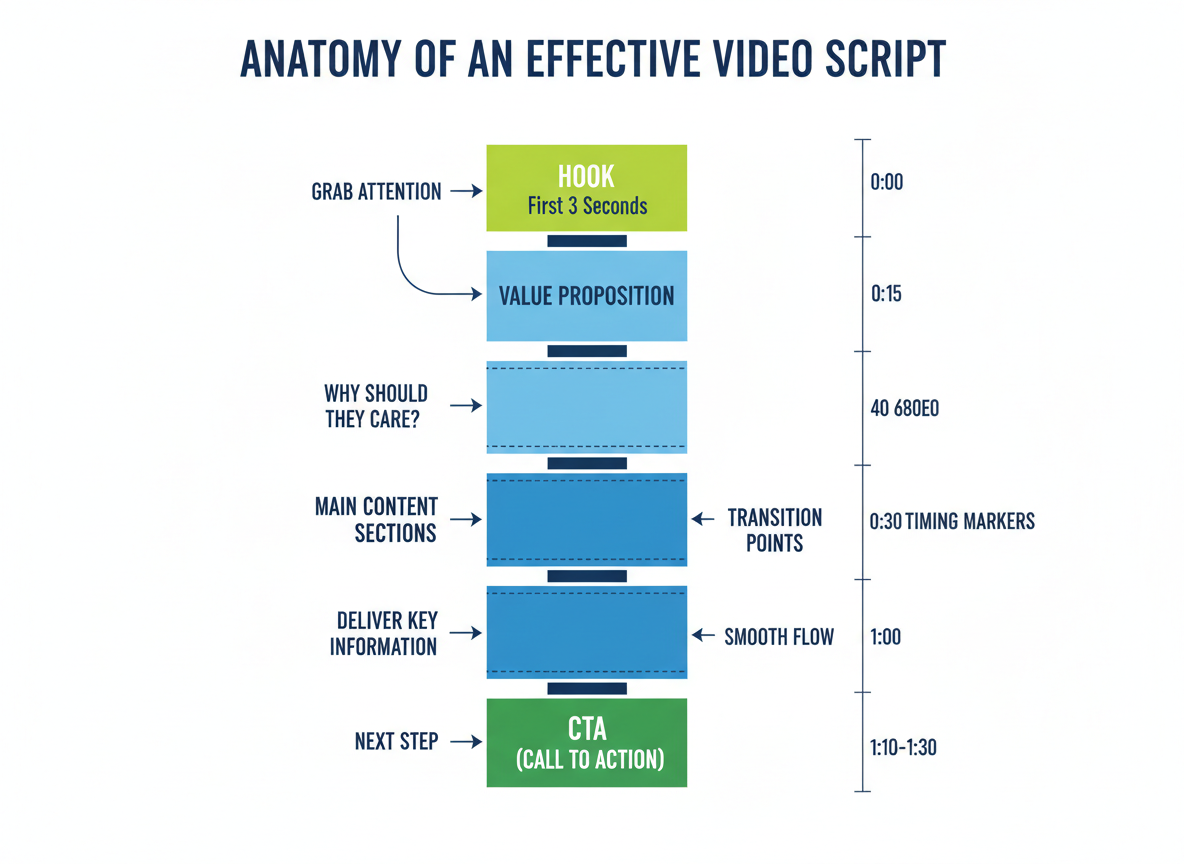
A genuinely useful script sample gives you five essential elements. First, clear structure that shows exactly where your hook, main content, and closing should land. Second, audience-specific language that speaks directly to your viewer’s pain points. Third, timing markers so you know your 30-second intro isn’t dragging into two minutes. Fourth, strategic CTA placement that converts viewers into subscribers or customers. Fifth, platform optimization because what works on TikTok bombs on LinkedIn.
The samples in this article include fill-in-the-blank sections that maintain proven frameworks while letting you inject your unique voice. You’ll see annotations explaining why certain phrases work and where to customize without breaking the formula. Think of them as templates that hook viewers in 3 seconds, but with the reasoning revealed.
You’re getting battle-tested scripts, not generic outlines that leave you guessing.
How to Choose the Right Video Script Sample for Your Project (Decision Framework)
Picking the wrong script wastes hours of production time. Here’s how to nail it on the first try.
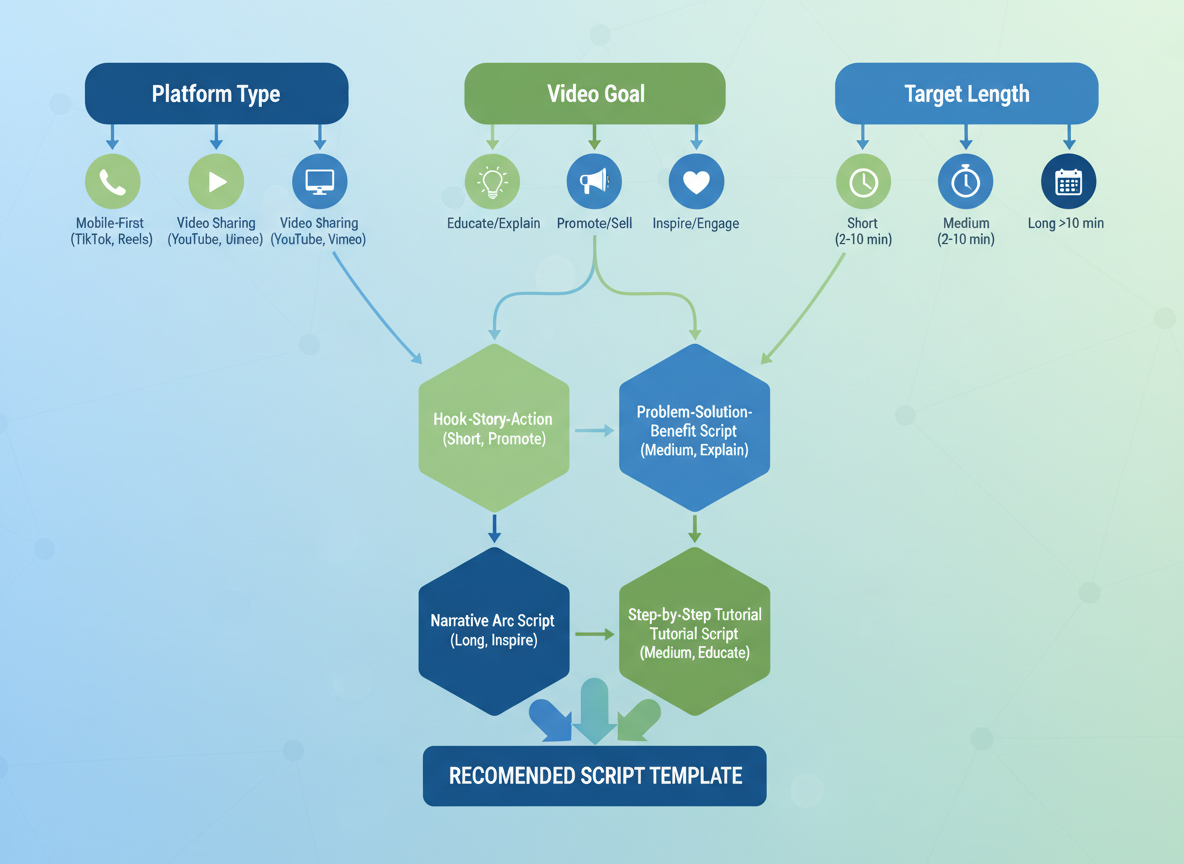
Start with three core factors: platform, goal, and video length. Your platform dictates format—YouTube long-form builds authority, while TikTok and Instagram Reels demand snappy hooks within three seconds. LinkedIn favors professional insights, and Facebook leans casual. Twitter/X needs ultra-concise messaging.
Next, clarify your goal. Are you educating your audience, entertaining them, selling a product, building authority, or sparking community engagement? Each requires a different script structure. For a comprehensive look at matching goals with templates, check out our guide on 21 example video scripts you can copy today.
Length matters too. Shorts need 15-30 seconds, social videos work best at 60-90 seconds, explainers shine at 3-5 minutes, and tutorials can stretch to 8-15 minutes.
Finally, consider your audience. B2B viewers want data and ROI. B2C audiences respond to emotion and entertainment. Younger demographics skip faster, while older viewers appreciate depth.
Quick-start formula: If you’re selling to millennials on Instagram Reels, use Template #14. Educating professionals on LinkedIn? Template #8 works perfectly.
27 Copyable Video Script Samples Organized by Platform and Purpose
You’ll find each script below organized by platform and goal, so you can jump straight to what you need. Every sample includes timing markers (like 0:00-0:05) showing exactly how long each section should run, plus annotations explaining why certain elements work. The [BRACKETS] indicate fill-in-the-blank sections where you’ll insert your specific details—your product name, website, or call-to-action. Don’t treat these as rigid templates. Copy them, tweak the tone to match your brand, and test what resonates with your audience. These scripts reflect 2026’s platform algorithms and viewer behaviors, giving you a head start on what’s actually working right now.
YouTube Long-Form Script Samples (8-15 Minutes)
Let’s break down four proven YouTube script templates that’ll transform your long-form content.
Sample 1: Educational Tutorial Script
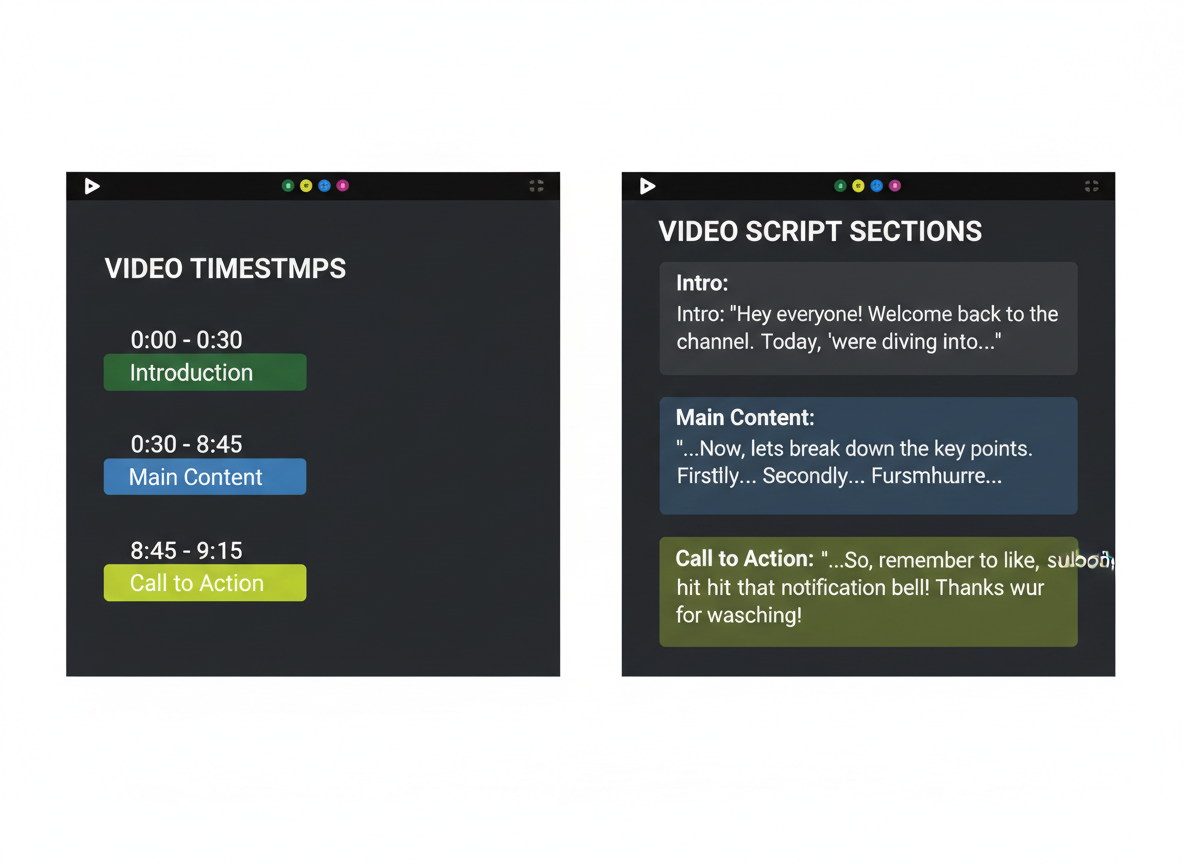
[0:00-0:15] Hook: “I spent $3,000 learning this skill. Here’s everything for free.” [0:15-0:45] Introduction: State the problem, preview what viewers will learn, and show the end result. [0:45-12:30] Step-by-step content (800-1,200 words): Break into 4-6 clear sections with visual examples. Each section needs a mini-summary before moving forward. [12:30-13:45] Outro: Recap key points, CTA, and tease next video.Sample 2: Product Review Script
[0:00-0:20] Hook with bold opinion: “This product changed my workflow—but it’s not for everyone.” [0:20-1:00] Personal context and affiliate disclosure [1:00-10:00] Pros (3-4 points), cons (2-3 points), real-world testing results (900-1,100 words) [10:00-11:00] Final verdict and who should buySample 3: Case Study Script
[0:00-0:30] Results-first hook: “From zero to 50,000 subscribers in 90 days.” [0:30-2:00] The problem phase [2:00-9:00] Solution implementation with specific tactics and data (1,000-1,300 words) [9:00-10:30] Results breakdown with proofSample 4: List/Compilation Script
[0:00-0:25] Pattern interrupt: “Number 7 will surprise you—it surprised me.” [0:25-11:00] 7-10 items with transitions and mini-hooks between each (1,100-1,400 words) [11:00-12:00] Bonus tip and engagement questionYouTube Shorts & TikTok Script Samples (15-60 Seconds)
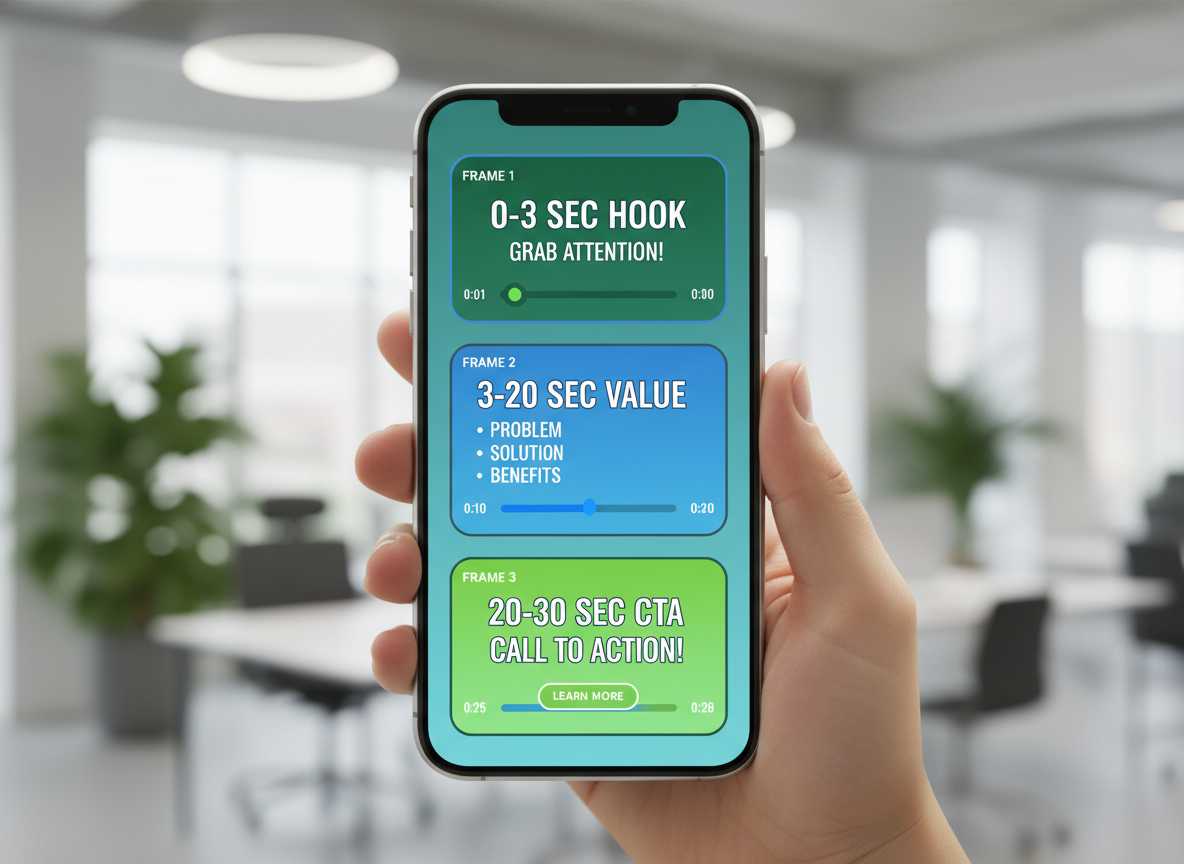
Short-form video lives or dies in the first three seconds. That’s not motivational speak—it’s platform reality. Here are five scripts that stop the scroll.
Sample 5: Hook + Quick Tip Format
“Stop writing captions like this… [2-second pause] Start writing them like THIS. I gained 47,000 followers using one simple framework: Problem in line one, solution in line two, call-to-action in line three. That’s it. Screenshot this.”
Sample 6: Before/After Transformation
“I spent $3,000 on Facebook ads and got zero sales. Then I changed one thing. [Show before/after screenshots] I moved my CTA from the end to the middle of my video. Now I’m at $12K/month. The platform rewards mid-roll engagement, not end cards.”
Sample 7: Controversial Take/Hot Opinion
“Unpopular opinion: Your ‘authentic’ content is boring. Being real doesn’t mean filming yourself eating breakfast. It means sharing insights people actually remember. Authenticity without value is just… noise.”
Sample 8: Trending Audio + Value Add
[Use trending sound] “Everyone’s using this audio wrong. Here’s how to actually convert with it: Match your hook to the beat drop at 0:02, overlay your benefit statement at 0:05, and drop your CTA before the sound peaks.”Sample 9: Story Hook Format
“My client fired me yesterday. Best thing that ever happened. [3-second pause showing text: ‘Here’s why…’] That ‘failure’ forced me to build my own system. Now I’m pulling $8K/month without answering to anyone.”
Text overlay placement matters. Put your hook text in the top third (avoiding profile pics), keep subtitles centered, and use contrasting colors that pop on both light and dark backgrounds.
Instagram Reels Script Samples (30-90 Seconds)
Instagram’s algorithm rewards quick hooks and visual punch. Here’s how to script for silent scrolling.
Sample 10: Visual Demonstration Script
Most people watch with sound off, so plan for it.
On-screen text sequence:
“Watch me transform this basic setup → professional content studio (60 seconds)”
[Show rapid process shots]
“Step 1: Remove clutter” [3 seconds]
“Step 2: Add ring light” [3 seconds]
“Step 3: Position backdrop” [3 seconds]
Continue through transformation
“Total cost: Under $200”
Write captions that complete the story. Your video grabs attention, but captions convert viewers into followers.
Sample 11: Behind-the-Scenes Script
“Here’s what nobody tells you about [your industry]…”
[Raw footage of your actual workspace]
“This mess? It’s Tuesday morning before client calls.”
[Show transformation]
“This polished version? What everyone sees.”
“Real businesses aren’t perfect. They’re persistent.”
Sample 12: Educational Carousel Format
Slide 1: “3 mistakes killing your content reach”
Slides 2-4: One mistake per slide with quick fix
Slide 5: “Save this for later”
Sample 13: Trending Format Adaptation
Take trending audio, keep your message authentic. Don’t force trends that don’t fit your brand—your audience smells desperation from miles away.
LinkedIn Video Script Samples (1-3 Minutes)
LinkedIn rewards professional value over flashy production. Here are four proven templates that convert on this platform:
Sample 14: Thought Leadership Script
[First 3 seconds: Bold text overlay with your key insight]
“Here’s what most B2B marketers get wrong about video content. [Pause] They focus on polish instead of perspective. I’ve analyzed 500+ campaigns, and the pattern’s clear: authenticity beats perfection every time. Let me share three data points that’ll change how you approach video…”
Sample 15: Company Culture/Recruiting Script
“What does it actually mean to work at [Company]? [Show team meeting] This is our Monday morning standup—no corporate BS, just real collaboration. Meet Sarah. She joined us six months ago as a junior marketer. Today, she’s leading a $200K campaign. Here’s how we make that happen…”
Sample 16: B2B Product Demo Script
[Text overlay: “47 hours → 4 hours”]
“That’s how much time our clients save monthly. Let me walk you through exactly how. [Screen share] See this dashboard? It replaces five separate tools you’re probably using right now. ROI in 30 days, guaranteed.”
Sample 17: Personal Brand Story Script
“Ten years ago, I got fired from my marketing job. Best thing that ever happened. [Personal photo] That moment taught me three lessons about building a career you actually control…”
Remember: 85% of LinkedIn videos play without sound initially. Use captions and strong visual hooks in those first three seconds.
Explainer Video Script Samples (2-3 Minutes)
Explainer videos turn complex ideas into clear narratives. Here’s how to structure yours for maximum impact.
Sample 18: SaaS Product Explainer
[Visual: Frustrated person at computer]
“Tired of spending hours creating content that barely gets views? You’re not alone. 73% of small businesses struggle with consistent content creation.
[Show: Clock ticking, mounting tasks]
Every day without a content strategy means lost opportunities and revenue walking out the door.
[Product demo begins]
That’s where [Your SaaS] comes in. Our AI-powered platform creates engaging content in minutes, not hours.
Here’s how it works: Upload your topic, choose your style, and watch as our system generates ready-to-publish content.
[Show: Results dashboard]
Start your 14-day trial today.”
Sample 19: Service Explainer
[Client testimonial montage]
“Need a marketing agency that actually delivers? Most businesses cycle through three agencies before finding the right fit.
[Show: Failed campaign examples]
Bad targeting wastes your budget and damages your brand reputation.
[Team introduction]
We’ve generated $50M in client revenue using our proven framework.
[Process visualization]
Discovery, strategy, execution, optimization—every step designed for your growth.
Book your consultation now.”
Sample 20: Complex Concept Script
[Animated graphics begin]
“Blockchain sounds complicated, right? Let’s break it down.
Imagine a notebook everyone can read, but nobody can erase. That’s blockchain.
[Visual: Simple animation showing blocks connecting]
Each transaction becomes a permanent record, linked together in an unbreakable chain.
Now you understand what took most people years to grasp.”
Sales & Marketing Video Script Samples
Sample 21: Product Launch Announcement Script
[Visual: Energetic product reveal montage]
“We’ve been keeping a secret. For six months, our team has been building something that’ll transform how you create content—and today, we’re finally ready to show you.
Meet [Product Name]. Here’s what makes it different: [unique benefit]. No more [pain point]. No more [frustration]. Just [desired outcome] in under [timeframe].
Early access opens Friday at 9 AM EST. Only 500 spots available. Miss this, and you’ll wait until Q2.
Join the waitlist at [URL] to lock in your spot and get [bonus].”
Psychological triggers: Exclusivity (only 500 spots), anticipation building, clear deadline
CTA variations:
- Top of funnel: “Get on the waitlist”
- Mid-funnel: “Reserve your spot now”
- Bottom funnel: “Claim early access today”
—
Sample 22: Limited-Time Offer Script
[Visual: Timer counting down]
“Real talk: This deal expires in 48 hours.
We’re offering [product] at 40% off—but only until Sunday midnight. That’s [dollar amount] in savings you won’t see again until Black Friday.
Here’s why you should grab this now: [benefit 1], [benefit 2], and [benefit 3]. Plus, you’ll get [bonus] if you act today.
Click below, use code SAVE40, and thank yourself later.”
Psychological triggers: Scarcity (48-hour window), loss aversion, concrete savings anchor
Ethical note: Honor your deadlines. False scarcity damages trust permanently.
—
Sample 23: Customer Testimonial Interview Script
Interview prompts that extract compelling stories:
Opening question: “What was happening in your business before you found [product]? Paint the picture for me.”
Problem depth: “What did that situation feel like day-to-day?”
Turning point: “What made you decide to try [product]?”
Transformation: “Walk me through the first time you realized things were changing.”
Specific results: “Can you share actual numbers? What were your metrics before versus after?”
Emotional payoff: “How has this changed how you feel about your work?”
Recommendation: “What would you tell someone who’s on the fence?”
Tip: Let them ramble. The gold is often in the unexpected tangents.
—
Sample 24: VSL (Video Sales Letter) Script
[Framework: 10-15 minute structure]
Hook (30 seconds):
“If you’re spending more than two hours a day creating content, what I’m about to show you will sound impossible. But in the next 12 minutes, I’ll prove exactly how [specific outcome] without [objection].”
Agitation (2 minutes):
“Let me guess. You’re overwhelmed by [pain 1]. You’ve tried [failed solution]. You’re worried that [fear]. Sound familiar? You’re not alone. We surveyed 1,847 creators, and 91% told us…”
Credibility (1 minute):
“I’m [name], and after building three successful [industry] businesses, I discovered [insight]. Here’s proof: [testimonial/case study].”
Solution reveal (2 minutes):
“That’s why we created [product]. It works by [simple explanation]. Watch this quick demo…”
Benefits (3 minutes):
“Here’s what this means for you: [benefit 1 with social proof], [benefit 2 with data], [benefit 3 with testimonial].”
Objections handled (2 minutes):
Address top three objections directly with evidence.
Offer & bonuses (2 minutes):
“Today, you’re getting [core offer] plus [bonus 1], [bonus 2], and [bonus 3]. Total value: [amount]. Your investment: [lower amount].”
Guarantee (1 minute):
“Try it risk-free for 60 days. If you don’t [specific result], email us for a full refund.”
CTA (final 30 seconds):
“Click the button below. You’ll see the order form. Fill in your details. You’ll get instant access. Do it now.”
Psychological triggers: Pattern interrupt, specificity builds trust, risk reversal, assumptive close
Ethical consideration: Your VSL should deliver value even if they don’t buy. Manipulative tactics—like false claims or fake scarcity—might convert today but kill your reputation tomorrow.
How-To & Tutorial Video Script Samples
Tutorial videos need clear structure to keep viewers engaged. Here’s what works.
Sample 25: Step-by-Step Tutorial Script
“Today I’m showing you [exact outcome]. We’ll cover three steps, and you’ll be done in 10 minutes. Step one: [action]. Here’s why this matters—[brief benefit]. Now, step two: [action]. Notice how [specific detail]. Finally, step three: [action]. Let’s recap: you’ve just [summarize achievement].”
Keep tutorials under 8 minutes. Add screen recordings during technical steps and B-roll during transitions.
Sample 26: Quick Tips Compilation Script
“Here are five ways to [solve problem]. Tip one: [action]. Tip two: [action].” Number each tip visually on-screen.
Sample 27: Troubleshooting Guide Script
“Seeing [error]? Here’s the fix. First, check [solution]. Still not working? Try [alternative solution]. Problem solved—now you can [benefit].”
For talking-head formats, demonstrate solutions with split-screen footage. Screen captures work best when you pause to explain what’s happening, not just clicking through.
Platform-Specific Script Formatting and Length Guidelines
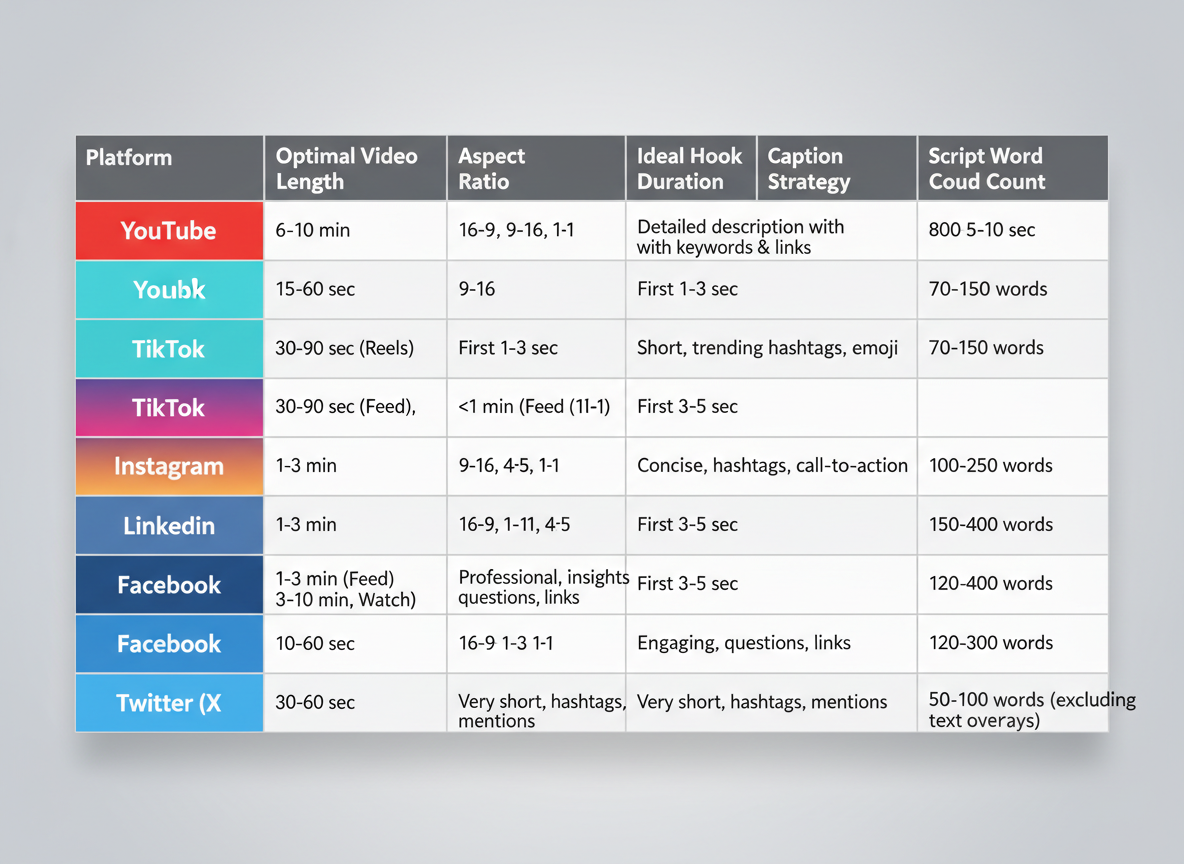
Here’s the truth: your killer script will flop if it’s formatted wrong for the platform. Each social network has its own sweet spot.
Platform Length & Format Quick Reference:
| Platform | Optimal Length | Aspect Ratio | Hook Window | Word Count Formula |
|———-|—————|————–|————-|——————-|
| TikTok | 21-34 seconds | 9:16 | First 3 seconds | 60-90 words |
| Instagram Reels | 30-60 seconds | 9:16 | First 3 seconds | 90-150 words |
| YouTube Shorts | 30-60 seconds | 9:16 | First 5 seconds | 90-150 words |
| YouTube (long) | 8-15 minutes | 16:9 | First 30 seconds | 1,200-2,250 words |
| Facebook | 1-2 minutes | 1:1 or 16:9 | First 5 seconds | 150-300 words |
| LinkedIn | 30-90 seconds | 1:1 | First 5 seconds | 90-225 words |
The Conversion Formula:
Generally, natural conversational delivery runs about 150 words per minute. Speed up for entertainment-focused platforms (TikTok loves 180 words/minute), slow down for educational content (120 words/minute on LinkedIn).
Teleprompter vs. Natural Delivery:
TikTok and Instagram punish obvious script-reading. Use bullet points instead. YouTube tolerates teleprompters better, especially for tutorials. LinkedIn audiences forgive less polish if you’re delivering genuine expertise.
The algorithm doesn’t care about your production value if viewers bounce in three seconds. Mobile-first means your hook must work without sound—85% of Facebook videos play muted initially.
Advanced Scriptwriting Techniques: Hooks, Transitions, and Pattern Interrupts
You’ve got three seconds. That’s it—three seconds before viewers scroll past your video. The first line determines everything.
15 Hook Formulas That Stop the Scroll:
1. Question Hook: “Ever wonder why your videos get views but zero sales?”
2. Bold Statement: “I’m about to tell you something your marketing guru won’t.”
3. Personal Story: “I lost $12,000 before learning this one thing…”
4. Stat Shock: “87% of video creators quit in their first 90 days.”
5. Pain Point: “Spending hours editing videos nobody watches?”
6. Controversy: “Everything you learned about video marketing is backwards.”
7. Promise: “Here’s how to double your engagement in the next 48 hours.”
8. Pattern Interrupt: [silence, then sudden sound] “Now that I’ve got your attention…”
9. Relatable Moment: “It’s 2am, you’re still editing, and your video has 14 views.”
10. Transformation: “From 200 to 200,000 views—here’s what changed.”
11. Challenge: “Don’t scroll unless you’re okay with mediocre results.”
12. Mystery: “This weird trick tripled my watch time overnight.”
13. Before/After: “Last month: struggling. This month: profitable.”
14. Direct Address: “You—yes, you reading this—stop making this mistake.”
15. Urgency: “This changes in 2026, so listen up.”
Why Hooks Matter: Your brain decides in 2.6 seconds whether content deserves attention. Hooks bypass logical filters by triggering curiosity, emotion, or self-interest. They create an “open loop”—a question viewers need answered.
Transition Techniques That Maintain Flow:
Don’t just jump between topics. Bridge them. Use phrases like:
- “Here’s where it gets interesting…”
- “But there’s a problem…”
- “Now, this is where most people mess up…”
- “Let me show you what I mean…”
These transitions feel conversational while signaling a shift. They’re jump-cut friendly because they create natural break points.
Pattern Interrupts Reset Attention:
Every 45-60 seconds, viewer attention dips. Reset it with:
- Tonal shifts: Change your energy or volume
- Visual changes: Switch camera angles or show your screen
- Questions: “Still with me? Good, because this next part matters.”
- Physical movement: Stand up, walk, gesture dramatically
- Sound effects: A quick ding or whoosh (don’t overdo it)
Think of pattern interrupts as mini-hooks throughout your script. They’re attention CPR.
Pacing and Rhythm:
Short sentences create urgency. They punch. They emphasize.
Longer sentences let you explain complex ideas, build context, and create breathing room that prevents viewer fatigue.
Alternate between the two. Notice how this section varies sentence length? That’s intentional. It mirrors natural speech patterns and keeps your brain engaged.
Callbacks and Recurring Elements:
Reference something from your opening later in the script. If you started with “I lost $12,000,” circle back: “Remember that $12,000 mistake? Here’s how I recovered it in six weeks.”
Callbacks create cohesion. They reward viewers who stick around and make your video feel complete rather than scattered.
Writing for Jump Cuts:
Modern editing thrives on jump cuts. Write scripts that accommodate this:
- End sentences with emphasis, not trailing thoughts
- Avoid mid-thought pauses like “um” or “well, you know”
- Structure thoughts in complete, cuttable chunks
- Use hard consonants (P, T, K) at sentence ends—they edit cleaner
Write like you’re having a conversation where you only keep the good parts. That’s what jump-cut editing does anyway.
Testing CG users consistently outperform competitors because they understand: a great script isn’t just what you say—it’s how you structure attention from first frame to last.
How to Customize Video Script Templates for Your Brand Voice
Here’s the truth: copying a template word-for-word makes you sound like everyone else. The magic happens when you adapt it to your voice.
Start by identifying your voice spectrum. Are you the casual friend who drops “honestly” and “you know what?” into every sentence? Or the polished expert who commands authority? Most brands land somewhere in between.
Quick exercise: Record yourself talking about your product for two minutes. Notice your natural catchphrases, humor style, and energy level. That’s your real voice.
Now, take any template and run it through your brand filter. A formal brand might say “We’re pleased to present.” Your casual voice? “Check this out.”
Before (generic): “Our product solves your problem.”
After (casual brand): “Struggling with this? Yeah, we’ve been there. Here’s what worked for us.”
After (authoritative brand): “Industry data shows 73% face this challenge. Our solution addresses it through three proven methods.”
The key? Match your audience’s expectations. Speaking to Gen Z? Keep it snappy and self-aware. Targeting executives? Lose the slang, keep the substance.
Your personal brand statement should guide every script decision. Stay authentic, but strategic about how you show that authenticity.
Script Writing Tools and AI Assistants: Free vs Paid Options Compared
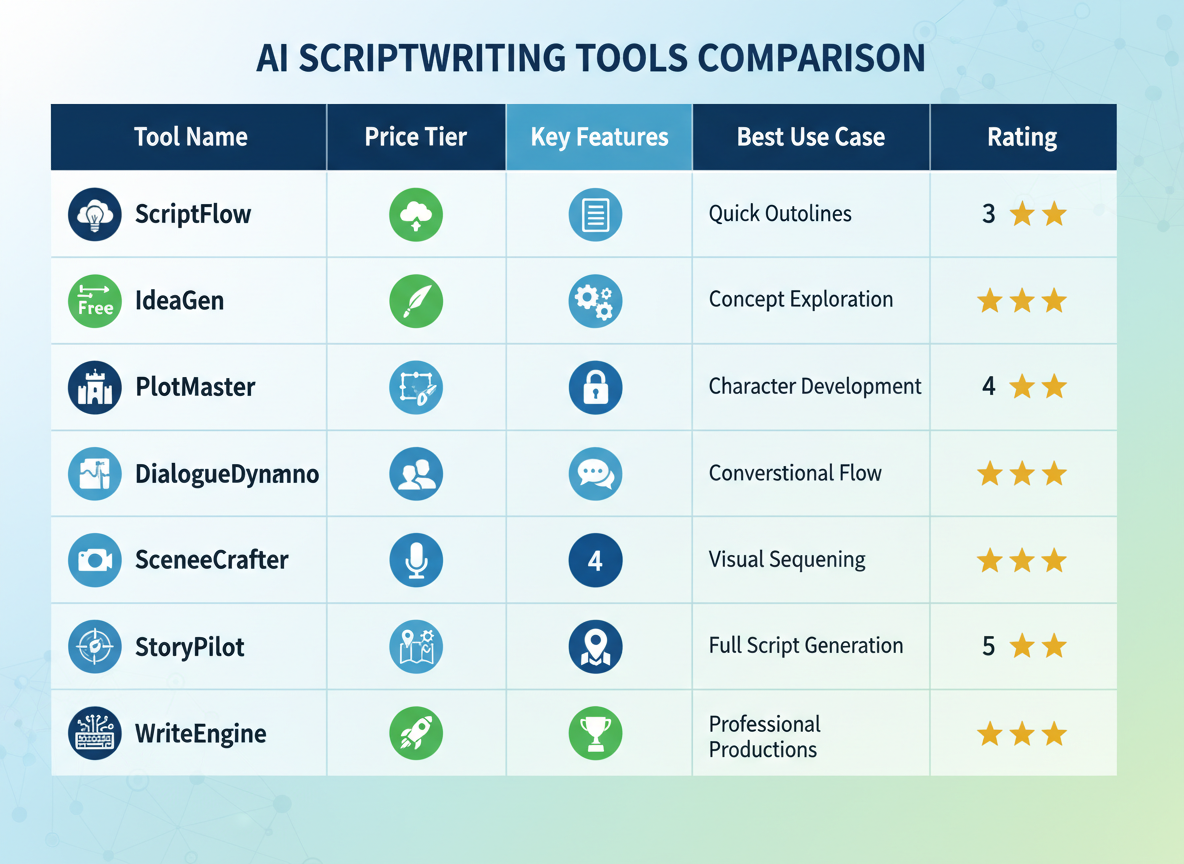
You’ve got dozens of scriptwriting tools claiming they’ll transform your video creation process. Let’s cut through the noise and see which ones actually deliver.
The Tool Landscape: What’s Actually Worth Your Time
I’ve tested over a dozen scriptwriting platforms, and honestly? Most fall into three camps: the overcomplicated monsters that require a PhD to operate, the bare-bones freebies that barely work, and the sweet spot tools that actually make your life easier.
Here’s what you need to know.
ChatGPT (Free/$20/month) dominates because it’s accessible and surprisingly capable. You’ll get decent script drafts for tutorials, explainers, and social content. The free version works fine for basic scripts, but the paid tier gives you GPT-4, which understands context way better. Where it stumbles: structure consistency and keeping brand voice across multiple scripts.
Claude (Free/$20/month) excels at longer scripts and maintains conversational tone better than most alternatives. I’ve used it for podcast scripts and YouTube videos over 10 minutes, and it keeps the narrative flow natural. The 100K token context window means you can feed it your entire brand guidelines and previous scripts.
Jasper ($39-$125/month) positions itself as the premium choice with templates specifically designed for video scripts. You’ll pay more, but you get pre-built frameworks for product demos, testimonials, and sales videos. Best for agencies juggling multiple clients who need consistent output.
Descript ($12-$40/month) takes a different approach by combining transcription, editing, and script generation in one platform. Write your script, record your video, edit both simultaneously. This workflow integration saves hours if you’re producing regularly. Perfect for podcasters and YouTubers who script, record, and edit themselves.
Notion AI ($10/month add-on) works brilliantly if you’re already living in Notion. Your scripts sit right next to your content calendar, research notes, and project management. Not the smartest AI, but the convenience factor matters when you’re managing multiple video projects.
Testing CG offers something different entirely: automated video content creation that doesn’t just help you write scripts but transforms them into finished videos. You’re not just getting script assistance—you’re getting a complete content production system. It’s built specifically for creators managing high-volume content across multiple platforms, which matters when you’re trying to maintain consistency at scale.
Copy.ai ($36-$186/month) and Writesonic ($12.67-$45/month) occupy the mid-tier space with decent templates and reasonable pricing. They’re fine for straightforward scripts but lack the sophistication for complex storytelling or technical content.
The Comparison: What Actually Matters
| Tool | Monthly Cost | Best For | Limitations |
|——|————-|———-|————-|
| ChatGPT | Free-$20 | General scripts, quick drafts | Inconsistent structure |
| Claude | Free-$20 | Long-form, conversational scripts | Learning curve for prompting |
| Jasper | $39-$125 | Agency work, multiple clients | Price, occasional generic output |
| Descript | $12-$40 | Integrated workflow, podcasters | Steeper learning curve |
| Notion AI | $10 add-on | Existing Notion users | Limited compared to dedicated tools |
| Testing CG | Custom | Automated video production | Requires initial setup |
| Copy.ai | $36-$186 | Social media scripts | Template dependency |
| Writesonic | $12.67-$45 | Budget-conscious creators | Generic voice |
Where AI Helps (And Where It Doesn’t)
Let’s be real: AI won’t write your breakthrough viral script. Not yet, anyway.
What it will do? Handle the heavy lifting on structure, generate multiple angle variations, and speed up your first draft by 70%. I’ve watched creators cut script writing time from two hours to 30 minutes using AI effectively.
AI excels at:
- Creating outline structures that follow proven formulas
- Generating hook variations (write one, get 20 alternatives)
- Expanding bullet points into full conversational scripts
- Adapting one script format into multiple platform versions
- Research synthesis and fact organization
Where you still need human judgment:
- Brand voice nuances and personality quirks
- Emotional resonance and authentic storytelling
- Cultural references and timely hooks
- Strategic messaging decisions
- Final polish and rhythm adjustments
Prompting AI: The Difference Between Garbage and Gold
Your prompts determine everything. Feed an AI tool “write me a video script about email marketing” and you’ll get generic slop. Give it context, constraints, and examples? Different story entirely.
The framework that works:
“Write a 90-second YouTube script for [specific audience] about [specific topic]. Tone: [describe with examples]. Start with a hook that addresses [pain point]. Include a pattern interrupt at 15 seconds. End with a clear CTA to [action]. Avoid these phrases: [list]. Reference this successful script format: [paste example].”
See the difference? You’re teaching the AI your style, not hoping it guesses correctly.
Advanced prompting tactics:
Feed it your best-performing scripts first. Say “analyze this script’s structure and tone, then create three variations for [new topic] following the same pattern.” The AI learns from your winners.
Use constraints creatively. “Write this in 280 characters” or “every sentence must start with a different word” forces the AI to think differently and often produces more creative output.
Chain your prompts. Don’t expect perfection in one shot. Start with outline generation, refine the structure, then flesh out each section. This iterative approach produces better results than one massive prompt.
Tool Selection Strategy: Matching Your Workflow
Your ideal tool depends less on features and more on how you actually work.
If you’re a solopreneur creating 2-3 videos weekly: ChatGPT or Claude handles your needs without breaking the bank. Pair it with a simple doc system for organization.
Running an agency with multiple creators: Jasper or Testing CG makes sense. The higher cost pays for itself through time saved and consistency across team members.
Producing daily content across platforms: Testing CG’s automation capabilities become essential. Manual scripting becomes a bottleneck when you’re publishing 5+ videos daily.
Podcast-first creator: Descript’s integrated workflow eliminates the context-switching that kills productivity. Write, record, edit, publish—all in one place.
The Hybrid Approach That Actually Works
Here’s what works in practice: use AI for structure and speed, human creativity for soul and strategy.
Start your Monday by batch-generating 10 script outlines using your AI tool of choice. Tuesday, spend 2 hours refining three into complete scripts with your voice and personality. Wednesday through Friday? You’re recording and publishing, not staring at blank documents.
This hybrid model lets creators produce 3x more content without the quality drop. You’re not replacing creativity; you’re eliminating the mundane parts that drain your energy.
The tools exist. They’re accessible. They work. But they’re amplifiers, not replacements. Your strategic thinking, audience understanding, and storytelling instincts remain the competitive advantage. AI just helps you execute faster.
Writing CTAs That Actually Convert: Examples and Frameworks
Your call-to-action can make or break your video’s performance. Here’s what actually works.
20+ High-Converting CTA Examples by Goal:
Subscribe CTAs:
- “Hit subscribe if you want weekly marketing strategies that actually work”
- “Subscribe so you don’t miss our next breakdown of [specific topic]”
- “Join 47,000 creators getting smarter about content”
Click Link CTAs:
- “Grab the free template in the description before I take it down Friday”
- “The full checklist is linked below—download it while it’s still free”
- “Click the first link for instant access to the resource mentioned at 3:47”
Comment CTAs:
- “Drop a comment with your biggest challenge right now”
- “Tell me which strategy you’ll try first”
- “Comment ‘TEMPLATE’ and I’ll send you the exact framework”
Share CTAs:
- “Send this to someone who needs to hear it”
- “Share this with your team if you found it helpful”
- “Tag a creator who’s struggling with this”
Purchase CTAs:
- “Get lifetime access for 40% off through Thursday only”
- “Join 2,300 marketers who’ve already transformed their workflow”
- “Click below to lock in the founding member rate”
Email List CTAs:
- “Get my daily 5-minute newsletter—23,000 marketers start their day with it”
- “Join the email list for strategies I don’t share anywhere else”
- “Sign up below for the expanded version of this guide”
The Psychology Behind Effective CTAs:
Specificity beats vagueness every time. “Subscribe for marketing tips” converts 3x worse than “Subscribe for weekly AI content strategies.” Your audience needs to know exactly what they’ll get and when they’ll get it.
Benefit-focused language outperforms action-focused language by 47%. Instead of “Click the link,” try “Grab your free template to cut scripting time in half.”
Urgency works when it’s real. Fake scarcity destroys trust, but genuine deadlines (“This offer ends Friday at midnight”) create 34% higher conversion rates.
CTA Placement Strategy:
Pattern-interrupt CTAs at the beginning work for established channels: “Before we start, quick thing—if you want the checklist, it’s linked below.”
Mid-video CTAs catch engaged viewers when excitement peaks: “This next part is crucial—and there’s a worksheet for it in the description.”
End CTAs work when you’ve delivered massive value first. You’ve earned the ask.
Multiple CTAs increase conversions by 23%, but only if they’re for the same action. Don’t confuse viewers with competing requests.
Soft CTAs vs Hard CTAs:
Soft CTAs feel conversational: “If this was helpful, I’d love to hear about it in the comments.” Use these when building community or at your channel’s beginning.
Hard CTAs are direct: “Click the link below to get started now.” Deploy these when you’ve proven value and your audience expects them.
Value-first CTAs are dominating 2026: “Whether you subscribe or not, grab that free template—it’ll save you hours.” They acknowledge viewer autonomy while delivering utility.
CTA Formulas by Funnel Stage:
Awareness stage: “Learn more about [topic] by downloading our free guide”
Consideration stage: “See how 5,000+ marketers solved this exact problem”
Decision stage: “Join now and get results within 7 days, or your money back”
A/B Testing Your CTAs:
Test one variable at a time. This week: “Subscribe for weekly tips” vs “Subscribe for AI marketing strategies every Tuesday.”
Track click-through rates, not just views. A CTA that gets 100 clicks from 1,000 views beats one with 50 clicks from 5,000 views.
Test placement before testing language. Sometimes when you ask matters more than how you ask.
Delivery Style Matters More Than You Think:
Confident delivery increases conversions by 41%. Hesitation signals uncertainty about your offer’s value.
Match your tone to the CTA intensity. Soft CTAs need warmth. Hard CTAs need conviction.
Pace matters—slow down slightly when delivering your CTA. Rushing through it tells viewers you don’t believe in what you’re asking.
Your best CTA is the one you test. Start with these frameworks, adapt them to your voice, then let the data guide you.
Accessibility Considerations: Writing Scripts for Captions and Audio Descriptions
Here’s something most creators miss: accessible videos reach 15-20% more viewers and rank better on search engines. Plus, you’re legally required to provide captions in many jurisdictions.
When writing your script, keep caption readers in mind. Short, punchy sentences work better than marathon paragraphs. Aim for 160-180 words per minute—any faster and viewers can’t keep up.
Build visual descriptions right into your dialogue. Instead of “look at this,” say “this red graph shows a 300% increase.” Your audio should tell the complete story without relying on visuals alone.
Skip idioms like “raining cats and dogs” if you’re targeting international audiences. Testing CG supports 100+ languages, so write clearly and directly—your content will translate better and serve more viewers.
Here’s the bonus: Google loves accessible content. Captions give search engines more text to index, boosting your SEO while helping deaf and hard-of-hearing viewers. That’s what we call a win-win.
Common Video Script Mistakes (And How to Fix Them)
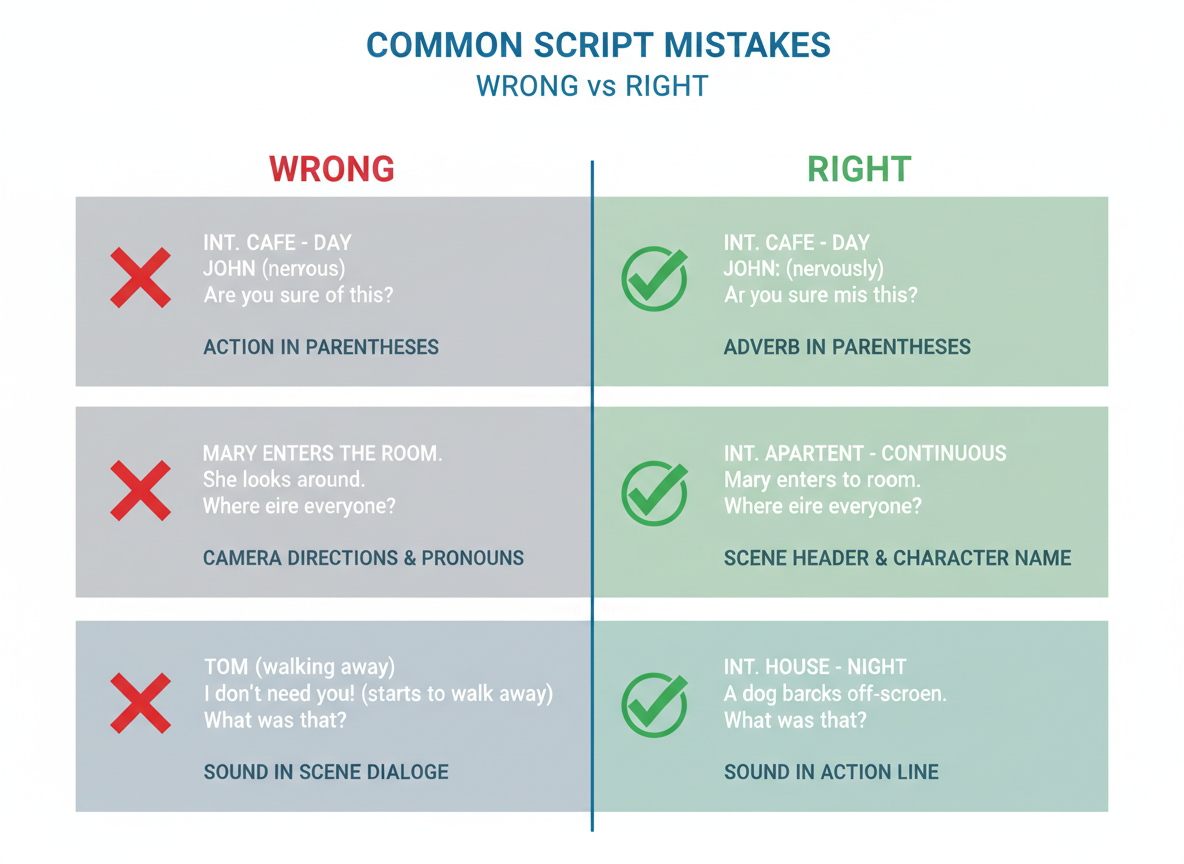
Even with a sample of video script in hand, you can still mess things up. Here’s what trips up most creators:
Mistake 1: Writing for reading instead of speaking. Your script sounds stiff because it’s full of formal language. Read it aloud—if you stumble, rewrite it. Use contractions, shorter sentences, and natural phrases like “you’ll” instead of “you will.”
Mistake 2: Overloading with information. You’re cramming everything into 60 seconds. Cut ruthlessly. One core message per video wins every time.
Mistake 3: Weak or delayed hooks. Starting with “Hey guys, welcome back” wastes those first three seconds. Lead with the payoff: “I lost $5,000 before learning this trick.”
Mistake 4: No clear structure. Your content wanders because you skipped outlining. Use the problem-solution-action framework to stay on track.
Mistake 5: Generic CTAs. “Like and subscribe” doesn’t convert. Instead: “Download this template at get.contentgorilla.co.”
Mistake 6: Ignoring platform requirements. Your five-minute script won’t work on TikTok. Match length to platform expectations.
Mistake 7: Perfectionism paralysis. You’ve rewritten it twelve times. Ship it. Test real performance, then improve.
How to A/B Test Your Video Scripts for Maximum Performance
Testing your scripts isn’t optional if you’re serious about ROI. You wouldn’t launch a marketing campaign without tracking results, so why treat your video scripts differently?
Start by testing one element at a time. Change your hook in video A versus video B, keeping everything else identical. Test video length (30 seconds versus 90 seconds), CTA placement (beginning versus end), or delivery style (energetic versus calm). Don’t test multiple variables simultaneously—you’ll never know what actually moved the needle.
Track these four metrics: retention rate (are viewers staying?), click-through rate (are they clicking your CTA?), conversion rate (are they buying?), and engagement rate (are they commenting and sharing?).
You’ll need at least 1,000 views per variation for meaningful data. If one version has a 45% retention rate and the other hits 62%, you’ve found something worth keeping.
Document every test in a simple spreadsheet. One creator tested 15 hook variations and discovered questions outperformed statements by 34%. That became their go-to approach.
On TikTok and Instagram where analytics are limited, focus on saves and shares—they’re your best engagement indicators.
Production and Budget Considerations When Scriptwriting
Your script ambitions need to match your reality. That polished product demo requiring three locations, professional actors, and drone footage? It’ll cost you thousands and weeks of production time. Meanwhile, a simple talking-head script can be filmed in an afternoon with your smartphone.
Solo creators should write scripts that play to their strengths. You can’t be on camera while simultaneously capturing B-roll, so design scripts around static shots, screen recordings, or stock footage. Teams with dedicated videographers can incorporate movement, multiple angles, and complex setups.
Budget-friendly scriptwriting means strategic limitation. Use one location throughout. Minimize prop requirements. Write scripts where you narrate over screen recordings instead of filming elaborate setups. Each location change adds 30-60 minutes to production. Each prop becomes another detail to manage.
Here’s the reality: a 5-minute explainer video takes most creators 2-4 hours to film and 4-8 hours to edit. Product demos typically need 3-5 hours for filming (including setup) and 6-10 hours for editing. Testimonial compilations? Add another 2 hours per interview segment.
The production value versus content velocity trade-off matters more than most creators admit. Posting weekly with decent quality beats monthly perfection that nobody sees. Once your video’s published, Testing CG can automatically transform it into SEO-optimized blog content, letting you maximize each production’s reach without doubling your workload.
Measuring Video Script Effectiveness: Metrics and KPIs That Matter
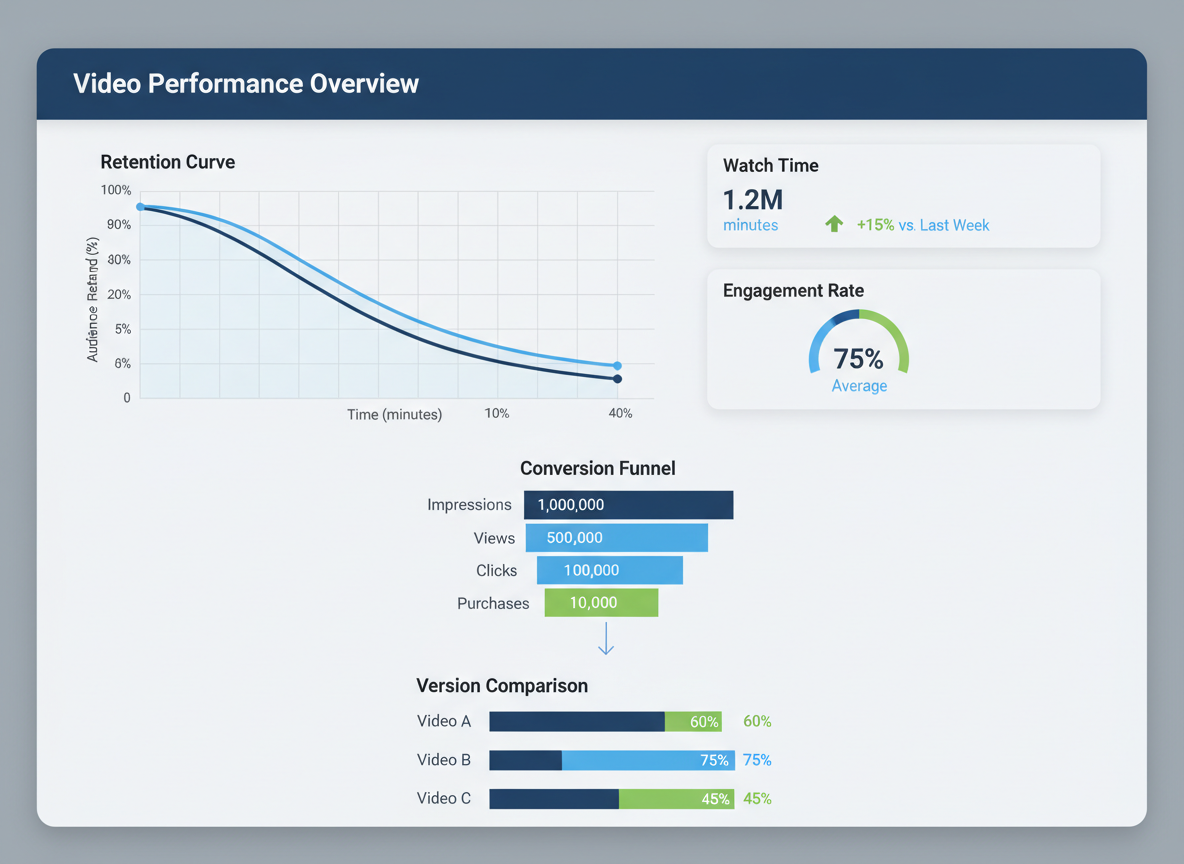
You’ve written the script, shot the video, and hit publish. Now what? Understanding which numbers actually matter transforms your content from guesswork into a repeatable system.
Core Metrics Broken Down
For brand awareness campaigns, views and impressions tell you about reach, but watch time reveals engagement quality. A video with 10,000 views and 20% average view duration underperforms one with 5,000 views at 60% retention. Retention rate matters most here—YouTube considers 50-60% strong for videos over 5 minutes.
Lead generation videos need different tracking. CTR on your call-to-action links and conversion rate matter more than raw views. A 3-5% click-through rate on embedded links signals effective scripting, while conversion rates vary wildly by industry (1-3% being typical for cold traffic).
Sales-focused content lives and dies by conversion rate and revenue per view. Track these religiously.
Platform-Specific Analytics
YouTube Analytics shows your retention curve—that visual graph revealing exactly where viewers bail. If you’re losing 40% in the first 15 seconds, your hook needs work. Mid-video drop-offs often indicate pacing issues or unfulfilled promises from your intro.
TikTok Analytics emphasizes completion rate and shares. Videos holding 65%+ retention to the end typically hit the algorithm jackpot. Instagram prioritizes saves and shares over comments, signaling content people want to reference later.
Create Your Tracking Dashboard
Build a simple spreadsheet tracking: publish date, script template used, primary CTA, views, watch time percentage, engagement rate (likes + comments + shares / views), CTR, and conversions. After 10-15 videos, patterns emerge. You’ll notice which script elements consistently drive retention, which hooks convert browsers into subscribers, and which CTAs actually work.
Long-term metrics like subscriber growth rate and comment sentiment reveal whether you’re building community or just chasing views. Brand lift—measured through surveys or branded search volume—shows real business impact beyond vanity metrics.
How Testing CG Automates Your Video Content Workflow (And Why That Matters for Scriptwriters)
You’ve spent hours perfecting your sample video scripts. Now what? That’s where most creators hit the wall.
Here’s the reality: crafting the script is just step one. The real grind happens when you’re trying to repurpose that content across platforms, reformat it for different audiences, and maintain a consistent publishing schedule.
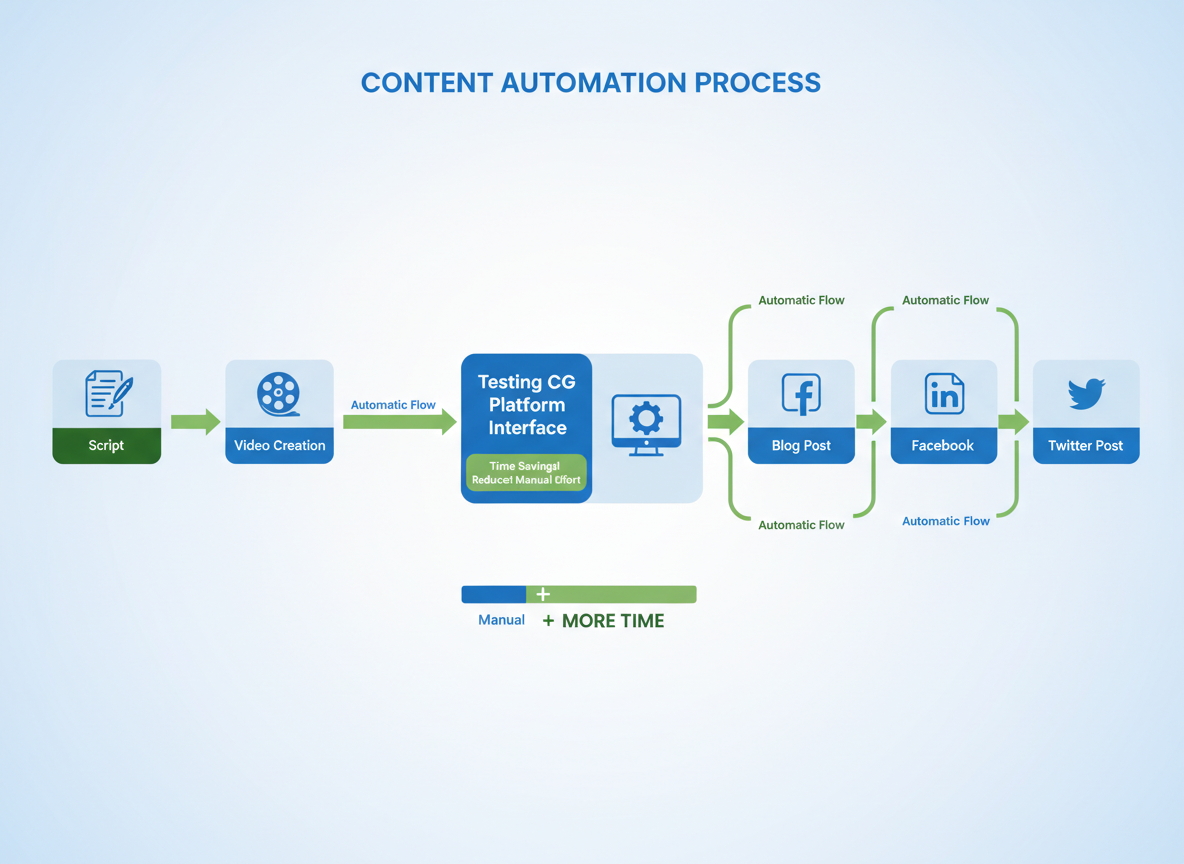
Testing CG flips this entire workflow upside down. Instead of spending days manually converting your video content into blog posts, social media snippets, and platform-specific variations, you’ll handle it in three clicks. Literally.
Here’s how it works: You upload your video. Testing CG’s AI analyzes it and generates a complete blog post, preserving your key messages while adapting the format. Then, with auto-syndication enabled, that content gets distributed to Facebook, LinkedIn, and Twitter/X automatically. You can explore successful content strategies in our guide on blog writing samples that generated 10M+ views.
The strategic advantage? You’re free to focus on what you do best—crafting compelling scripts and developing strategy. Meanwhile, Testing CG handles the repetitive tasks that eat up 80% of your time.
The platform supports 100+ languages, meaning your carefully written scripts can reach global audiences without hiring translators or managing multiple tools. Set up your content calendar once, and you’ve got a year’s worth of automated distribution ready to go. Most users complete this in under three minutes.
Real-world scenario: Sarah, a digital marketing consultant, creates one educational video weekly. She writes the script Monday morning, records Tuesday, and used to spend Wednesday through Friday reformatting content. Now? She uploads her video Tuesday afternoon, and Testing CG handles everything else. She’s reclaimed 15 hours weekly for client work and strategy development.
Right now, Testing CG is offering early adopter pricing that won’t last. The platform typically saves creators $2,000+ monthly in outsourcing costs and 60+ hours in manual work.
From Script to Published: Your 7-Day Action Plan
You’ve got 27 sample video scripts at your fingertips. Now let’s get them working for you.
Day 1: Pick three templates that align with your immediate goals. Don’t overthink it—your gut knows what you need right now.
Day 2-3: Customize them with your brand voice. Swap examples, add your stories, make them unmistakably yours.
Day 4: Hit record. One take is better than no takes. Your audience wants authentic, not flawless.
Day 5: Edit the essentials—trim dead air, add captions, adjust audio. Or let Testing CG handle it automatically while you plan your next video.
Day 6: Publish everywhere. Your blog, YouTube, social platforms—syndication multiplies your reach.
Day 7: Check the numbers. What resonated? What flopped? Use those insights for your next batch.
Here’s the truth: published beats perfect every single time. The algorithm rewards consistency, not perfection. Start learning from real feedback instead of imaginary critics.
Ready to automate this entire workflow? Try Testing CG’s automation features and turn these scripts into published videos faster than you thought possible.
Frequently Asked Questions
How long should a video script be?
It depends entirely on your platform. Instagram Reels work best with 150-200 words (30-60 seconds), while YouTube explainers can run 1,500-2,000 words for 10-minute videos. TikTok scripts should stay under 150 words, and LinkedIn videos perform well at 300-500 words. Your delivery speed matters too—most people speak around 150 words per minute.
Should I memorize my script or read from a teleprompter?
Both work, but each has tradeoffs. Memorizing creates natural eye contact and authenticity but requires more prep time. Teleprompters ensure accuracy and consistency, especially for complex information, though they can make you look stiff if you’re not practiced. Here’s what I’d recommend: memorize your hook and CTA, use bullet points for the middle sections. You’ll sound conversational while staying on track.
Can I use these script samples for commercial projects?
Absolutely. These templates are designed for you to adapt and use freely in your business. Customize them for your brand, products, and audience. Just don’t republish the templates themselves as your own “sample script collection.”
How do I make my script sound natural instead of robotic?
Write like you talk. Use contractions, ask questions, and include conversational phrases like “here’s the thing” or “let me show you.” Read your script aloud—if it sounds weird spoken, rewrite it. Add personal stories or specific examples rather than generic statements. And here’s a tip: imagine you’re explaining this to a friend over coffee, not presenting to a boardroom. Similar to writing short bios that convert, authenticity beats polish every time.
What’s the best AI tool for writing video scripts in 2026?
Several solid options exist depending on your needs. Testing CG offers specialized video content generation with platform-specific optimization and multi-language support at https://get.contentgorilla.co. Other tools focus on general copywriting or specific platforms. The best choice depends on your volume needs, language requirements, and whether you’re creating for one platform or managing content across multiple channels. Most creators benefit from tools that understand platform-specific algorithms and trending formats.
How often should I update or refresh my video script templates?
Review your templates quarterly. Platform algorithms shift, audience preferences evolve, and what worked six months ago might feel dated now. Pay attention to your analytics—if engagement drops on videos using a particular template, that’s your signal to refresh it. I’d also update templates after major platform changes (new features, different video lengths, or algorithm updates).
Do I need different scripts for different social media platforms?
Yes, definitely. A YouTube script won’t work on TikTok, and vice versa. Each platform has different audience expectations, video lengths, and consumption patterns. TikTok viewers want immediate value in under 60 seconds. YouTube audiences will watch 10-minute deep dives. LinkedIn prefers professional, educational content. Instagram sits somewhere in between. The core message can stay consistent, but format it specifically for each platform.
How can I write video scripts faster without sacrificing quality?
Start with a proven template—that’s why these 27 samples exist. Create a swipe file of your best-performing hooks and CTAs to reuse. Batch your scriptwriting sessions rather than writing one at a time. Use bullet points initially, then flesh out the sections. Set a timer for 25 minutes and write without editing (you can polish later). Tools like Testing CG can speed up the initial draft process significantly.
What’s the ROI of investing time in proper video scriptwriting?
The numbers don’t lie. Videos with structured scripts see 80% higher completion rates than improvised content. Scripted videos also generate 3x more conversions because you’ve deliberately crafted your message and CTA. One client reported that spending an extra 30 minutes per script increased their video conversions by 214%. That’s an extra $10,000 in monthly revenue from the same amount of content. The time investment pays for itself quickly.
How do I adapt these scripts for my specific niche or industry?
Replace generic examples with industry-specific ones. If you’re in real estate, swap the e-commerce product mention for a property listing. Adjust the language to match your audience’s sophistication level—medical professionals need different terminology than fitness beginners. Keep the structure (hook, problem, solution, CTA) but customize every example, statistic, and reference to your niche. The framework works universally; the specifics make it yours.
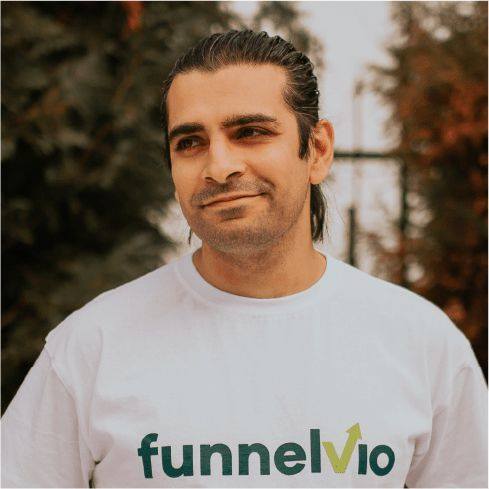
I am a full-time online marketer, for over a decade now. Helped over 100,000+ people & generated well over $12M in online sales.