

What Are Jasper Images? Understanding AI-Powered Visual Content Creation
You’re spending hours wrestling with Photoshop, waiting for designers to get back to you, or settling for mediocre stock photos that scream “generic.” There’s got to be a better way.
That’s where Jasper Images comes in. It’s the visual content creation tool built into the Jasper AI ecosystem—the same platform that’s already helping thousands of marketers generate product descriptions and other written content. But here’s the thing: marketers who’ve adopted AI image tools are cutting their visual content production time by up to 80%.
Jasper Images doesn’t just create pictures from scratch. It’s packed with practical editing features like background removal, image upscaling, uncropping (extending images beyond their original borders), and text removal. Think of it as your design assistant that never sleeps, never charges rush fees, and doesn’t need a creative brief.
This guide breaks down everything you need to know about Jasper Images—from its feature set and pricing structure to whether it’s the right fit for your content workflow. We’ll also explore viable alternatives so you can make an informed decision.
Core Jasper Image Editing Features (And How They Actually Work)
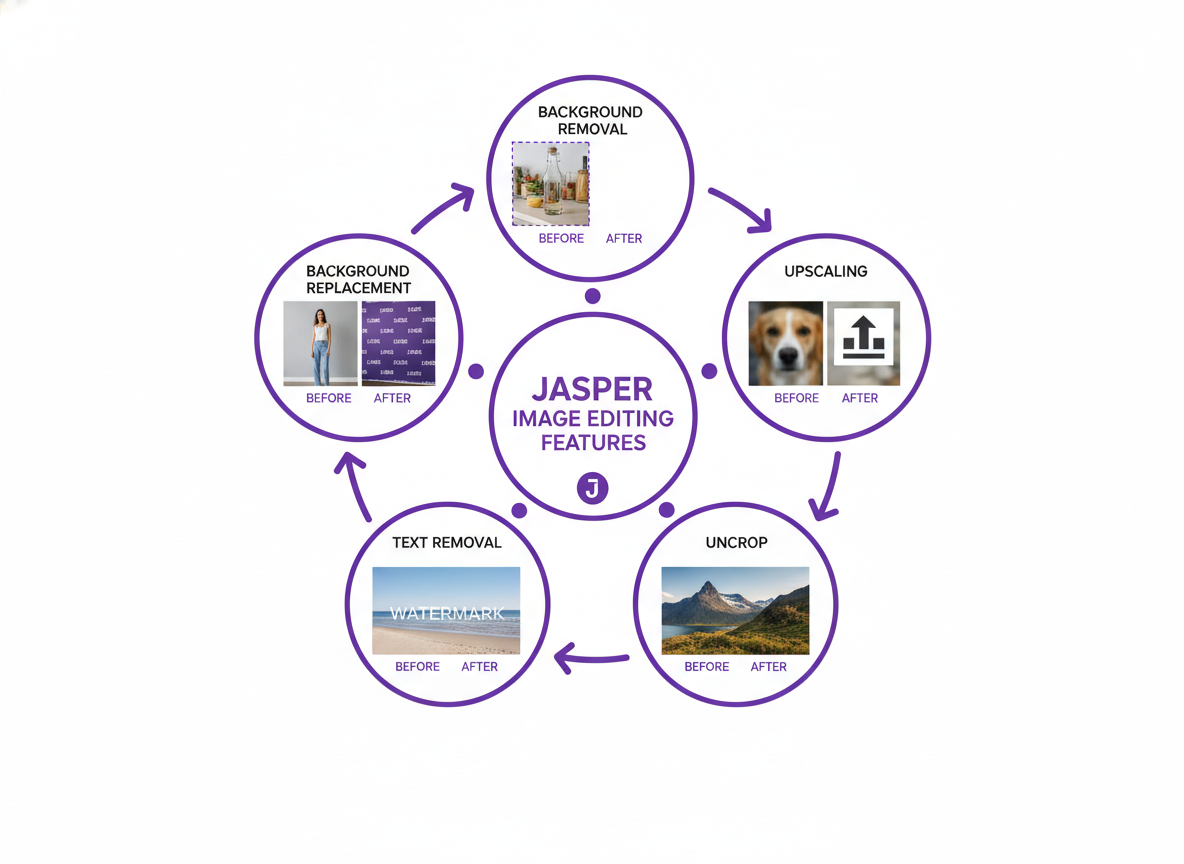
AI background removal strips away image backgrounds in seconds—perfect when you’re shooting product photos on your kitchen counter but need that clean white backdrop. The AI identifies edge patterns and depth data to separate subjects from backgrounds, even handling tricky elements like hair or transparent objects.
Background replacement lets you swap boring backdrops with on-brand visuals. Instead of scheduling expensive photoshoots, you’re dropping your product into beachside scenes or minimalist studios. The neural network matches lighting and perspective automatically.
Image upscaling increases resolution by predicting pixel information based on pattern recognition. You’ll turn low-res screenshots into crisp visuals without that blurry mess traditional enlargement creates.
The uncrop feature expands image boundaries by analyzing existing content and generating contextually appropriate extensions. Think of it as reverse cropping—suddenly your square Instagram post becomes a Pinterest-ready vertical.
Text removal erases watermarks and overlays by filling gaps with AI-generated content that matches surrounding textures. It’s like having Photoshop’s content-aware fill, minus the learning curve.
Want to see these features in action? Check out these 47 blog writing samples where visual content made all the difference in engagement.
Who Should Use Jasper Images? Industry-Specific Use Cases
Ecommerce sellers wrestle with creating dozens of product variations for Amazon and Shopify listings. Jasper Images cuts background removal and resizing tasks from 30 minutes down to under two minutes per image. That’s a 93% time savings when you’re managing 50+ SKUs.
Social media managers need platform-specific dimensions constantly—Instagram squares, Facebook covers, Pinterest pins. Instead of manually resizing in Photoshop, Jasper Images generates the right specs automatically. One client reported creating a week’s worth of branded visuals in just 47 minutes.
Real estate professionals can enhance property photos without hiring photographers for every listing. Fix lighting, remove clutter, and even virtually stage empty rooms. Check out these real estate advertising examples to see how compelling visuals drive actual sales.
Content creators and bloggers struggle with featured images that don’t look stock-photo-generic. Jasper Images lets you generate unique, on-brand headers that match your article topics in seconds rather than scrolling through endless stock libraries.
Marketing agencies juggle multiple client brands simultaneously. The ability to save brand presets means switching between client styles without recreating guidelines each time. One agency cut their asset creation costs by 67% while doubling output.
Jasper Images Pricing: What You Actually Pay (2026 Breakdown)
Here’s the reality: Jasper doesn’t sell images separately. They’re bundled into Jasper’s main subscription plans, which start at $49/month for the Creator plan (limited to one seat and 100,000 words) and scale up to $125/month for the Pro plan with unlimited words and more team seats. Enterprise customers pay custom pricing based on volume needs—expect to discuss this directly with their sales team.
You’ll get image generation credits with each plan, though the exact allocation varies. Unlike standalone tools charging per image, this bundled approach works well if you’re already using Jasper for content writing. Think about it: if you’re paying a freelance designer $50-$150 per custom image, generating dozens monthly through your existing subscription feels like a steal.
The catch? If you only need images—no AI writing—you’re paying for features you won’t touch. That’s where evaluating your actual workflow matters. Are you creating blog posts that need both written content and visuals? Then it’s probably worth it. Just running quick social media graphics? You might find better value elsewhere.
Similar to how you’d verify content originality with tools like Copyscape (which has its own pricing considerations), assess whether Jasper’s combined offering fits your budget and production needs.
Step-by-Step: How to Edit Images in Jasper (Complete Tutorial)
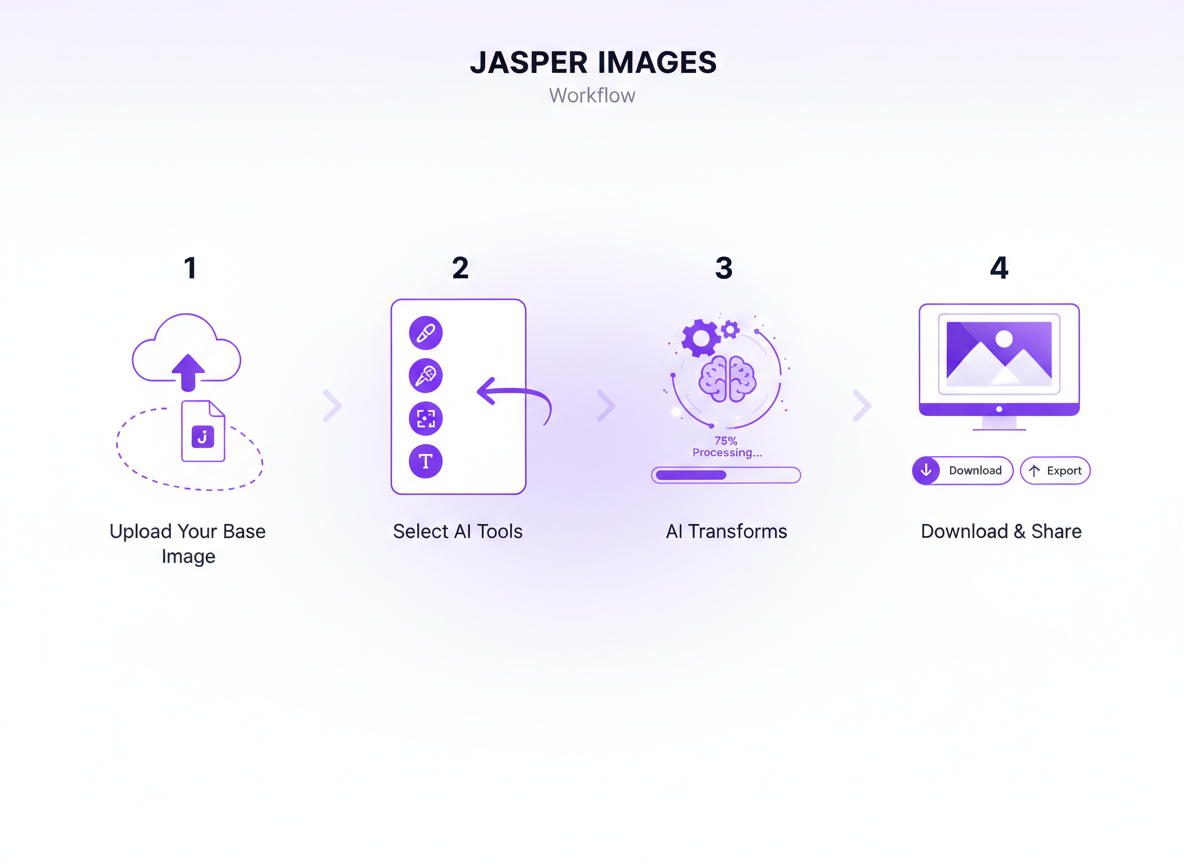
Getting started with Jasper Images is straightforward. You’ll find the Image Suite right in your main dashboard—just click the “Art & Images” tab.
Uploading’s simple: Jasper accepts JPEG and PNG files up to 10MB. For background removal, select your image and click “Remove Background.” The AI works automatically, though you can adjust edge softness if needed.
The upscaling feature shines when you need larger versions. Click “Upscale,” choose your multiplier (2x or 4x), and let it work. I’d stick with 2x for photos and try 4x for graphics.
Need more canvas space? The uncrop tool extends image dimensions—just drag the corners where you want expansion. It’ll generate matching content seamlessly.
Pro tip: Use high-quality source images for best results, and remember these same principles apply when creating visuals for projects like YouTube Script Templates That Hook Viewers in 3 Seconds—quality inputs always beat quantity.
Jasper Images vs. Competitors: How Does It Stack Up?
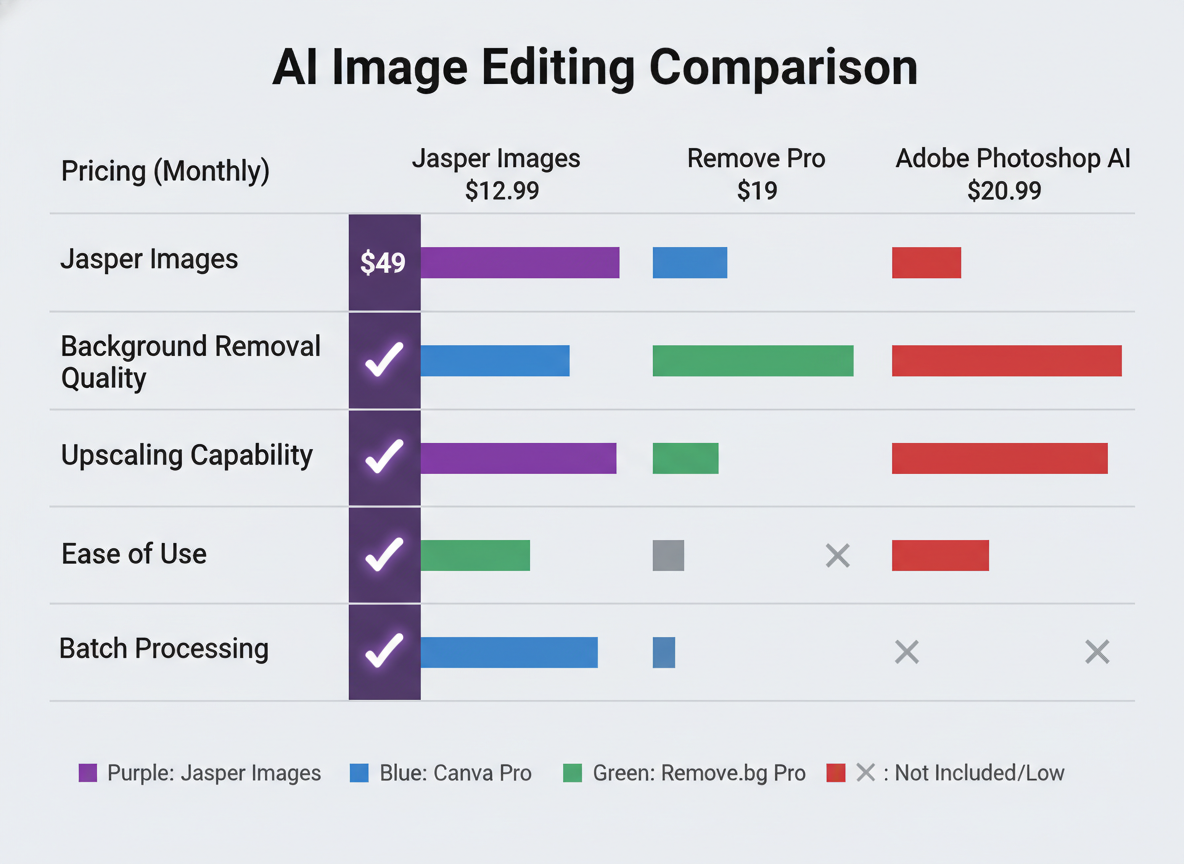
Let’s cut through the noise—you’re probably wondering if Jasper Images is worth it when there’s a sea of AI image tools out there.
Canva’s AI tools shine for social media templates and quick designs, but they’re built for graphic design workflows, not content generation at scale. Jasper Images integrates directly into your content workflow, letting you create custom visuals while writing. That’s a time-saver if you’re cranking out blog posts or ads with engaging body copy that need matching visuals.
Remove.bg beats Jasper for pure background removal—it’s specialized and lightning-fast. But it’s a single-purpose tool. Jasper handles image creation, editing, and content together.
Adobe Photoshop’s Generative Fill delivers superior quality and control, no question. Professional designers will stick with Photoshop. But here’s the reality: most marketers don’t have the time or budget for Adobe’s learning curve and subscription costs. Jasper’s interface won’t intimidate your VA or junior team members.
Midjourney and DALL-E create stunning artistic images. Midjourney’s Discord workflow feels clunky if you’re used to traditional software, though. DALL-E (via ChatGPT Plus) gives you 50 images monthly at $20. Jasper’s unlimited plan at $49 wins if you need volume—especially when bundled with AI writing.
Here’s the honest breakdown:
- Speed: Jasper generates images in 10-15 seconds. Midjourney takes 30-60 seconds. DALL-E sits somewhere between.
- Quality: Photoshop wins for precision. Midjourney wins for artistic flair. Jasper delivers solid, marketing-ready visuals without the fuss.
- Ease of use: Jasper and DALL-E tie for simplicity. Photoshop requires training. Midjourney’s Discord setup confuses beginners.
- Pricing: Remove.bg offers free basic use. Canva starts at $13/month. Midjourney runs $10-60/month. Adobe Creative Cloud hits $54.99/month.
When Jasper wins: You’re running a content operation that needs both writing and images. You’ve got a team that needs simple tools. You’re producing dozens of marketing assets monthly.
When alternatives win: You need magazine-quality artwork (go Midjourney). You’re doing professional photo retouching (Photoshop). You only need background removal (Remove.bg). You’re budget-conscious and create minimal content (Canva free tier).
The truth? Most marketers don’t need the absolute best image quality—they need good-enough visuals, fast, without leaving their content workflow. That’s where Jasper Images makes sense.
Limitations and Drawbacks: What Jasper Images Can’t Do (Yet)
Jasper Images isn’t built for complex editing workflows. You won’t find layers, advanced selection tools, or professional-grade filters here. The platform caps resolution at 2048×2048 pixels, which won’t cut it for print materials or large-scale designs. Batch processing? It’s basic compared to enterprise solutions that handle hundreds of images simultaneously.
The API access remains limited, making automation tricky for agencies managing multiple client accounts. There’s also no dedicated mobile app—you’re stuck using the web interface on your phone. The learning curve isn’t steep, but if you’re accustomed to Photoshop-level control, you’ll feel the constraints quickly. Think of it as excellent for quick content generation (similar to using a personal brand statement generator for fast branding assets), but not a replacement for professional design software when precision matters.
Automating Your Visual Content Workflow Beyond Jasper

Here’s the truth: creating stunning images with Jasper solves one problem, but you’re still stuck manually publishing, scheduling, and managing everything else. That’s where Testing CG changes the game completely.
While Jasper Images handles your visuals, Testing CG automates your entire content workflow—from research and writing to publishing across multiple platforms. Think of AI image tools as powerful teammates that feed into a larger automation system. You can generate visuals with Jasper, then let Testing CG handle the heavy lifting: scheduling posts, optimizing for SEO, and distributing content across your channels.
Imagine setting up entire visual content calendars in minutes instead of spending hours doing it manually. Your competitors aren’t just using AI tools anymore—they’re automating entire workflows while you’re still copy-pasting. The gap widens every day you wait.
Frequently Asked Questions About Jasper Images
Can Jasper create images from scratch or only edit existing ones?
Jasper Images primarily generates AI images from text prompts rather than editing existing photos. You’ll describe what you want, and it creates the visual from scratch.
What file formats does Jasper Images support?
The tool outputs PNG and JPG files, which work perfectly for most digital marketing needs—whether you’re creating real estate ads or social media posts.
Is there a limit to how many images I can create per month?
Yes, your plan determines your monthly image credits. Creator mode offers unlimited generations, while Team and Business plans have specific allocations.
Can I use Jasper-created images for commercial purposes?
Absolutely. You own the commercial rights to images you generate, which means you can use them in client work, ads, and products.
Does Jasper Images work on mobile devices?
It’s browser-based and mobile-responsive, though the experience is smoother on desktop or tablet screens.
How does Jasper handle copyright and data privacy?
Jasper uses proprietary AI models and doesn’t store your prompts beyond generating the image. Generated images are yours to use.
What’s the typical processing time?
Most images generate within 10-30 seconds, depending on complexity and server load.

I am a full-time online marketer, for over a decade now. Helped over 100,000+ people & generated well over $12M in online sales.